Raccoon Game
Lifestyle
2026-09-22
432.01MB
1.1.47
Android 6.0+
460
Screenshots
Introduction
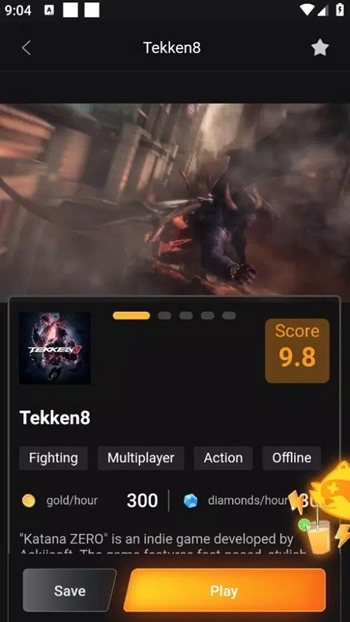
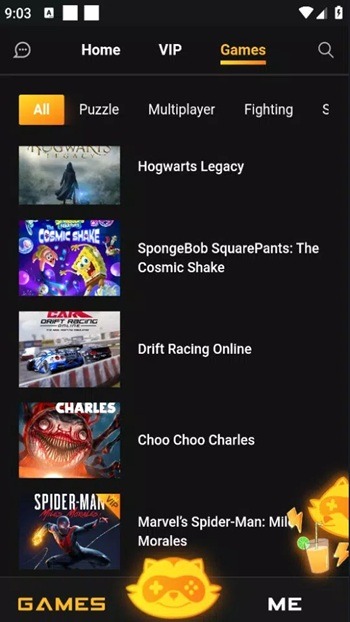
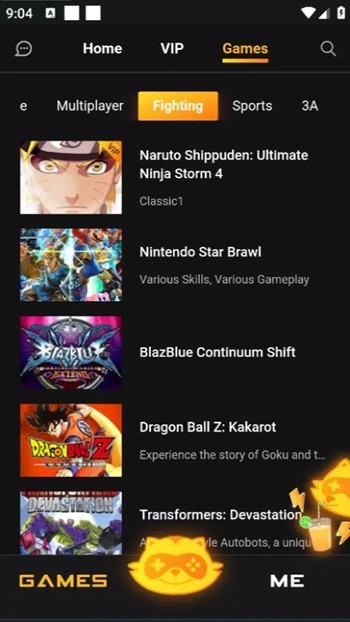
Raccoon Game is a powerful cloud gaming platform that allows players to enjoy a wide range of AAA PC titles directly on their mobile phones. The app offers an extensive game library categorized by genre, making it easy for users to quickly find the games they love. Users can also add titles to their favorites list for better library management. Leveraging robust cloud technology, the app handles game processing remotely, ensuring smooth performance even on low-end Android devices. Additionally, it supports Bluetooth controllers, providing users with a more seamless gaming experience.
Features:
Stream AAA games on mobile
Raccoon Game streams popular titles directly to your device. You can jump into Ghost of Tsushima, GTA V, Forza Horizon 5, Marvel’s Spider-Man: Miles Morales, The Last of Us Part I and II, Red Dead Redemption 2, and WWE 2K25 from one place. Sessions run in the cloud, so your phone does not need local downloads to start playing.
Play anywhere with flexible sessions
You can start, pause, and return to sessions as your day changes. This suits commuters and players who split time between home and travel. Because gameplay streams from remote servers, you are not tied to a single room or device location.
Easy discovery through curated sections
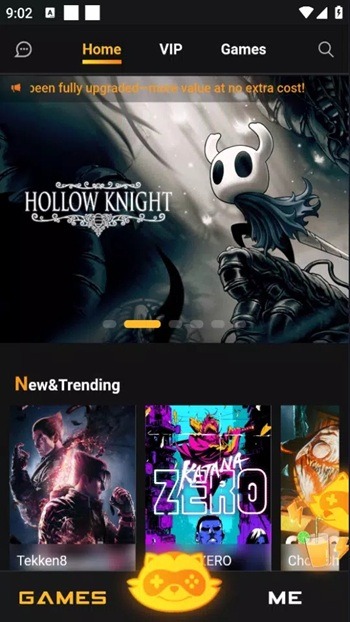
Raccoon Game organizes the catalog with clear categories so you can find games faster. Browse New & Trending for fresh releases, VIP Exclusive for special titles, Popular for top picks, Sports for competition-focused games, GTA for related content, and Limited-Time Offers for rotating entries. This structure reduces scrolling and helps you reach the right game sooner.
Priority access via Queue Cards or VIP
Raccoon Game uses a queue system when servers are busy, which helps maintain stable sessions for all users. You can activate a Queue Card for priority placement, or choose VIP to remove waiting and unlock more games. These options are useful if you want immediate access during peak hours.
Personalization and quick start tools
Login, Favorites, and History help keep your library organized and make it easier to resume sessions. When you are ready, PLAY NOW starts streaming with one tap. This setup reduces steps between browsing and playing while keeping your account activity in one place.
Tips and Tricks:
Open Raccoon Game and sign in, or create an account if you are a new user.
From the home screen, browse New & Trending, VIP Exclusive, Popular, Sports, GTA, or use search to find a title.
Select a game, then tap Join Queue if capacity is limited; or use a Queue Card or VIP to skip waiting.
When a session becomes available, tap PLAY NOW to start streaming on your device.
After playing, add the game to Favorites and check History to resume the next time.
Pros and Cons:
Pros
Play AAA PC and console games on Android without high-end hardware.
Clear tabs and categories for quick discovery and fresh game picks.
Queue skip options via Queue Card and VIP membership.
Ongoing Gifts, Main Task, and daily rewards support play time.
Handy Favorites and History for fast resume and repeat sessions.
Cons
Popular games can have long waits during busy periods.
Coins, diamonds, and VIP can limit free access.
FAQs:
What is Raccoon Game?
Raccoon Game is a mobile cloud-gaming app that streams PC and console titles to your phone.
Does Raccoon Game need a powerful device?
No, the app handles processing on the cloud, so most modern phones can run it.
Do I need fast internet for Raccoon Game?
A stable connection helps reduce lag and keeps visuals clear.
Can I use a controller with Raccoon Game?
Yes, many Bluetooth controllers work with the app for smoother gameplay.
Who is Raccoon Game best for?
It’s helpful for users who want console-level games on a phone without large downloads.
Conclusion:
Raccoon Game suits mobile players who want flexible gaming without buying a console or gaming PC. It’s helpful for students, travelers, or anyone who prefers game access without worrying about storage space or device requirements.