PRISM Live
Entertainment
2026-10-29
84.47MB
4.0.6
Android
199
Screenshots
Introduction
PRISM Live is a live-streaming application designed specifically for Android users. It offers a wide array of live-streaming effects and animated avatars, which users can freely select to enhance their broadcasts. The app is highly feature-rich; intuitive system prompts and navigation tools make it easy for users to get started. It supports high-definition video quality and includes features such as image editing and various streaming tools. Users can also leverage artificial intelligence to generate content, or incorporate dynamic text and animations. With excellent compatibility, the app works across multiple platforms and runs smoothly even on older Android devices. It effectively transforms your smartphone into a virtual live-streaming studio, allowing you to engage and interact with your audience.
Features:
Multi-stream to Multiple Channels
Broadcast to multiple platforms simultaneously, allowing you to reach audiences worldwide from a single control hub. This eliminates redundant tasks, letting you focus entirely on content creation.
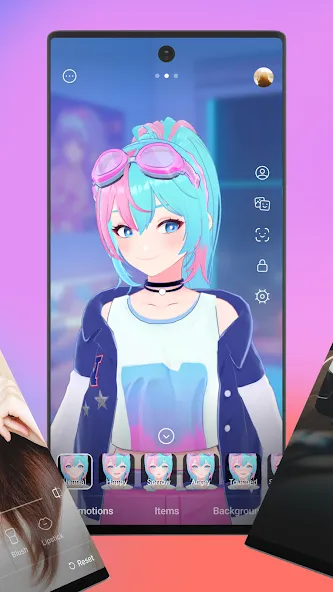
VTuber Mode with VRM Avatars
Choose from 2D or 3D VRM avatars to appear on camera without revealing your actual face. Facial expressions and movements are tracked, ensuring your avatar looks natural and lifelike—perfect for protecting your privacy, building a personal brand, or hosting themed shows.
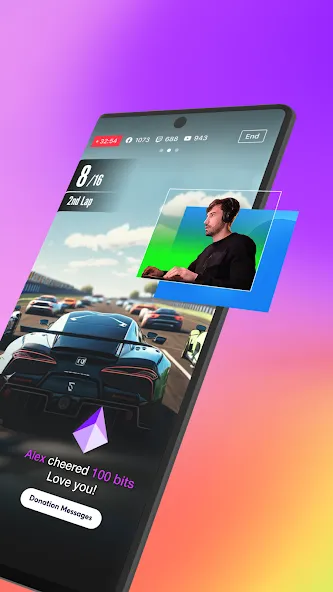
Mobile Screen and Gameplay Casting
Share your mobile screen to showcase apps or games. Record gameplay, demonstrations, or walkthroughs while maintaining full control over overlays and audio. This feature is designed to deliver a stable, seamless streaming experience directly from your mobile device.
Overlays, Media, and Effects
Easily add photos, videos, and music to your scenes using a simple layering system. Enhance your storytelling with animated text themes, beauty effects, and web-based components—giving your stream a polished, distinctive style without the need for external editing tools.
Professional Video and Chroma Key Controls
Stream at up to 1080p 60fps on compatible devices. Fine-tune focus, exposure, and white balance, and utilize the chroma key feature for green-screen effects. These professional-grade controls help you maintain consistent visual quality.
Chat Integration and Ecosystem Connectivity
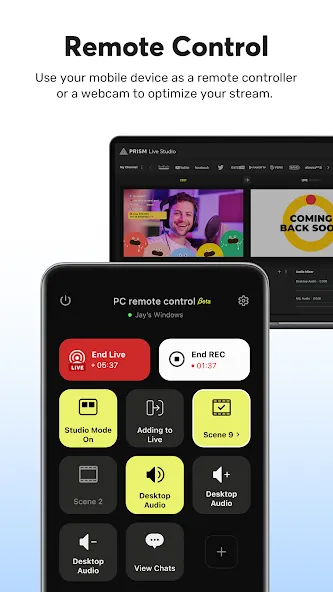
Display live chat directly on your screen and highlight messages, making it easy to respond without switching views. The platform supports background streaming, quick account linking, and "CONNECT" mode, which allows you to pair your mobile device with PRISM Desktop to serve as a video source.
Highlights:
Screen Live Streaming
Share your mobile screen or gameplay with your audience in real time. We offer a variety of options specifically designed for screen broadcasting.
Real-time Audience Interaction
Use the PRISM chat widget to seamlessly view and share viewer comments directly on your live stream. Highlight key messages to make them stand out.
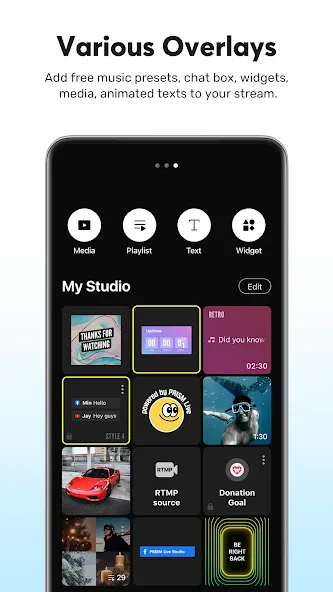
Media Overlays
Enrich your live stream by adding photos, videos, music, and playlists via "My Studio" to share with your audience.
Web Widgets
Overlay web pages onto your live stream simply by entering a URL—perfect for integrating supplementary widgets.
Beauty Effects
Our advanced beauty features automatically enhance your appearance, creating a natural and polished look.
Dynamic Text Effects
Bring your live stream to life with dynamic text themes, including titles, social media handles, subtitles, and other graphic elements.
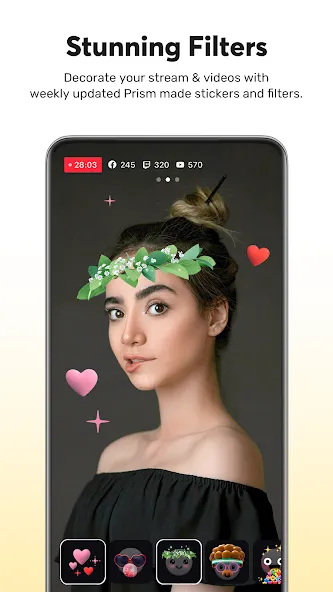
Camera Effects
Add personality to your broadcast with fun masks, background filters, touch-reactive effects, and expressive filters for a more engaging experience.
Background Music
Choose from five distinct music themes within the PRISM app: Relaxing, Sentimental, Energetic, Upbeat, and Retro.
Multi-platform Simultaneous Streaming
Broadcast to multiple platforms at once without consuming extra network bandwidth.
Professional Camera Controls
Fine-tune your stream’s visuals using advanced camera settings, including focus, exposure, ISO, white balance, and shutter speed.
Chroma Key (Green Screen)
Unleash your creativity and produce more dynamic mobile broadcasts using our built-in chroma key feature.
AI Scripting
Leverage on-device AI to extract and process live streaming scripts from various formats.
Background Streaming
Keep your live stream running smoothly, even when you receive incoming calls or messages.
Real-time Stream Management
Update your stream title and share your broadcast link—all while your live stream is in progress.
FAQS:
What is PRISM Live?
It is an ideal live-streaming tool, especially well-suited for VTubers and gaming streamers.
Is it safe to download PRISM Live?
Yes—as long as you download it from a trusted source like this website, it is safe and reliable.
What features does PRISM Live offer?
Its primary function is to enhance your live streams with real-time effects and animated avatars; the app also supports taking photos and recording short videos.
Advantages and disadvantages:
Pros
Flexible live modes for camera, screen sharing, and VTubing
Rich overlay options with media, web widgets, and animated text themes
Beauty filters, masks, and effects that enhance on-camera presentation
Cons
Screensaver customization feels limited for personal branding
Conclusion:
PRISM Live provides modern creators with everything they need to produce engaging, high-quality content. The premium unlocked version ensures you have unrestricted access to all features, completely free from advertisements. Download the PRISM Live APK from this website and start broadcasting your world with creativity, freedom, and style.