Penly
Productivity
2026-07-22
61.72MB
1.23.12
Android
137
Screenshots
Introduction
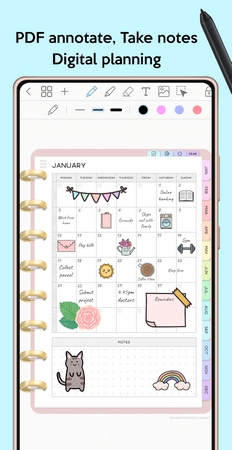
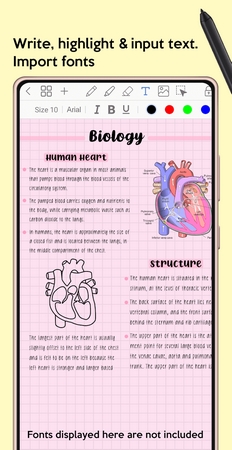
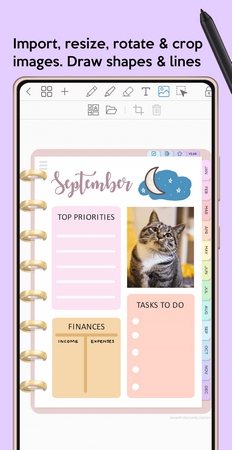
Penly is a multi-functional app designed specifically for Android users, combining digital planning with powerful note-taking capabilities to provide a better user experience. This app boasts robust note-taking features, allowing users to record things on their phones according to their own ideas, giving them great freedom to customize every detail from fonts and stickers to the toolbar layout. The hyperlink function allows users to jump directly to content with a single click, making it easy to find information and saving a significant amount of time.
Features:
Digital Whiteboard : One of the best features of this app is being able to collaborate on a digital whiteboard in real time with other users around the world. Not only this, but you can also access the digital planner that uses that to organize your workflow. Customize your notes by adding different elements and stickers.
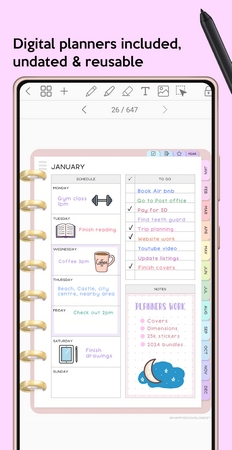
Advanced Features : It is not a regular note-taking app for Android but comes with features like support for Bluetooth Stylus of different devices, highlighter, pen, handwriting, colour wheel, and many more. The digital planner comes with updated and reusable planners that can be used to take notes and create hyperlinks too.
100% Free & Safe : Another good reason to do Penly app free download is that this app doesn't have any ads in it. You will be able to import PDF files in the Penly app for Android and then use the app to customize and edit them. You can also sync your notes and digital planners with Google Drive.
Highlights:
Freedom to Create: You can customize every detail, from fonts and stickers to toolbar layouts. This freedom gives your planner a personal identity. For example, a student might decorate pages with colorful icons to stay motivated, while a professional might design a clean, minimal planner for efficiency.
Boosted Productivity: Hyperlinked navigation saves minutes every day. Instead of scrolling through dozens of PDF pages, you can jump directly to the section you need.
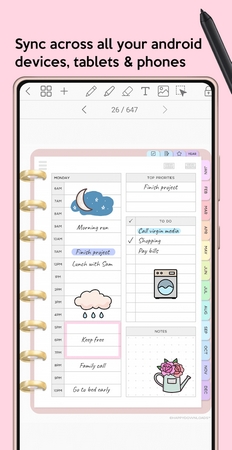
Cross-Device Sync: Google Drive integration ensures your notes are always available, whether you’re switching from a tablet in the morning to a phone during your commute.
The GoodNotes Alternative: For Android users who felt left behind by iOS-exclusive apps, Penly is finally the answer. It brings handwriting precision, PDF annotation, and interactive planners to Android in a way that feels natural and complete.
Pros and Cons:
Pros
Multiple calendar views
PDF import/export
Customizable planner pages
Cons
Limited language support
FAQs:
What is Penly APK?
Penly APK is a app for Android. It gives you full access to note-taking tools, PDF annotation, custom fonts, stickers, and syncing features.
Is Penly APK safe to use?
Yes, Penly APK is safe when downloaded from trusted APK sources.
What makes Penly APK better than other note-taking apps?
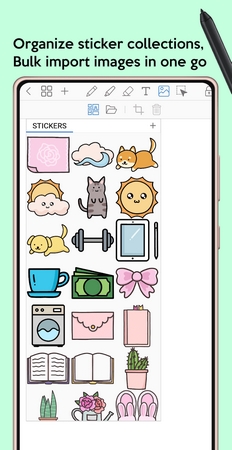
Unlike Samsung Notes or OneNote, Penly APK offers advanced PDF hyperlinks, customizable fonts, sticker management, and a planner system designed for productivity.
Can I sync my notes with Penly APK?
Absolutely. Penly APK supports Google Drive integration, so you can back up your notes and sync them across multiple Android devices. This ensures your work is always safe and accessible wherever you go.
Who should use Penly APK?
Penly APK is perfect for students who want organized study notes, professionals managing projects and meetings, and creatives looking for a personalized digital planner. It’s the ideal GoodNotes alternative for Android users.
Conclusion:
Penly is a comprehensive and polished app for anyone seeking to merge digital planning with powerful note-taking. Its balance of planning tools, annotation functions, and deep customization options make it a competitive choice for professionals, students, or hobbyists organizing their schedules and thoughts. While there are some performance hiccups with large documents, the overall package is robust and highly adaptable.
-
Latest Updates
-
Featured Apps