Parental Control
Lifestyle
2026-10-26
173.35MB
4.9
Android
134
Screenshots
Introduction
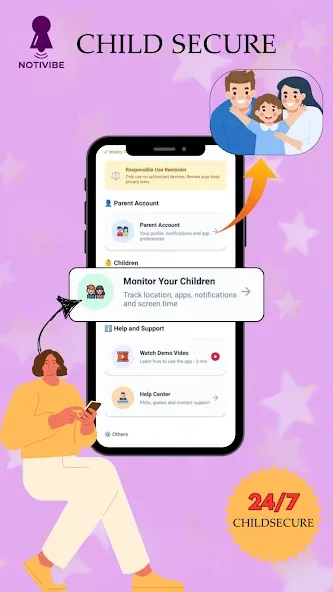
This Android application is a powerful tool for smartphone management. It features a user-friendly interface, allowing users to get started quickly. After logging in, parents can select their role—either as a parent or a child—to monitor the child’s mobile activity, including restricting access to specific websites and applications. The app provides real-time location tracking and insights into data usage. It also offers robust customization options, enabling the creation of personalized reminders and other settings that help users manage their phone usage effectively. Additionally, an alert system provides timely notifications. The app helps children use their time more efficiently and fosters a healthy lifestyle, ensuring they are well-supported as they grow.
Features:
Real-Time Monitoring
Through real-time screen mirroring, you can view what is happening on your child’s device. When you need more context, the remote camera and one-way audio features allow you to see the surrounding environment and hear background sounds. These tools make it easy to check on your child’s activities without needing to physically access their phone.
AI-Powered Content Safety and Web Filtering
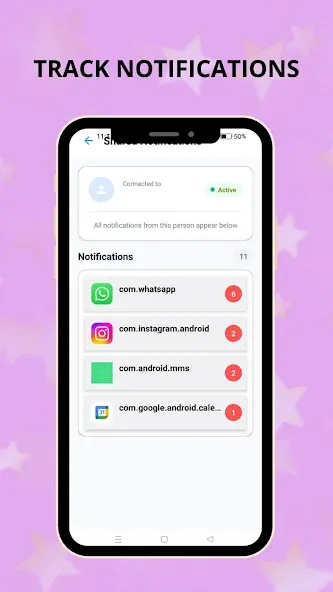
Parental controls sync app notifications and monitor social content to identify potentially risky interactions. Using AI technology, the system detects inappropriate images and content, alerting you promptly so you can take action.
Screen Time and App Management
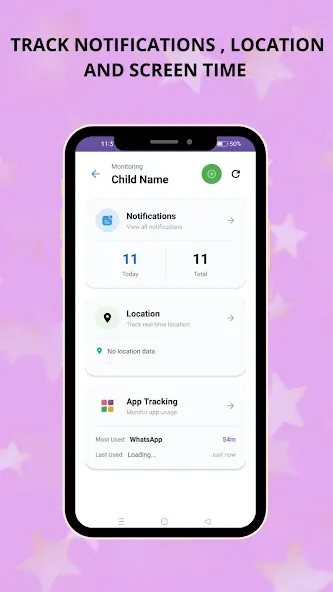
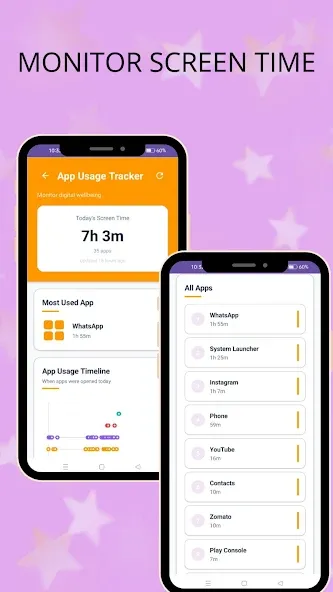
Set daily device downtime schedules and establish usage limits for specific apps, automatically pausing them after a set duration. If games or social media apps become a distraction, you can block them instantly. A "Focus Mode" helps minimize interruptions during study or sleep, supporting a consistent daily routine.
Location Safety and Alerts
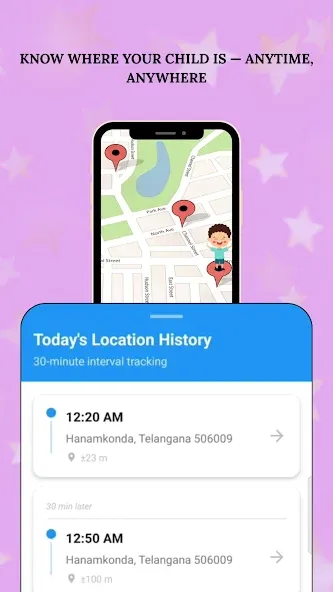
Track your child’s location in real time and verify their arrival at intended destinations. Location history shows recent trips, allowing you to observe patterns over time. You can also set up geofences for locations like school or home, receiving instant alerts whenever your child enters or leaves these designated areas.
Insights, Reliability, and Management Options
Parental controls provide activity and usage reports along with real-time alerts, while a built-in family chat feature facilitates easy communication. Features like "Stealth Mode" and uninstallation protection help ensure that your settings remain effective and secure.
Highlights:
Remote Observation Mode
Ensure your child’s safety without needing to be by their side at all times. Use the camera and microphone on their device to understand their surroundings and keep them safe during offline activities.
Screen Mirroring
Mirror your child’s device screen in real-time to ensure they are viewing appropriate content—just as if you were right there beside them.
Screen Time Management
Disable all apps: Instantly lock every app on your child’s device to help them focus on the task at hand. Set schedules: Define specific time slots for daily device usage to help your child build healthy digital habits.
App Usage Management
Block or restrict inappropriate apps and newly installed software to minimize distractions from schoolwork. Receive instant alerts whenever your child attempts to open a restricted app or game.
Sync App Notifications
Monitor notifications from social media platforms (such as WhatsApp, Line, Facebook Messenger, etc.) to help prevent cyberbullying and online scams.
Location Tracking
Easily view your child’s real-time location and historical movement patterns on a map.
Geofencing Alerts
Set up one or more geographic zones and receive instant notifications whenever your child enters or leaves these designated areas.
Reports
Access daily reports on screen time, app usage rankings, notification frequency and peak activity times, as well as data usage statistics.
FAQS:
What is Parental Control?
It is a digital parental management application that helps you monitor your child’s device usage and location.
Can I download it?
Yes, you can download it; however, some advanced features require payment.
Is it safe to download Parental Control?
As long as you download it from a trusted source—such as this website—it is safe and secure.
Advantages and disadvantages:
Pros
Provides built-in support for Google’s parental controls
Remains inactive when parental controls aren’t configured
Cons
Its purpose is poorly explained to device owners
Summarize:
In short, Parental Control offers a comprehensive solution for parents to manage their children’s device usage safely and responsibly. It comes packed with features—including parental controls, a child-friendly web browser, age-appropriate content filtering, time limits, and activity reports—ensuring that every aspect of your child’s digital life can be managed effectively from one convenient location!