MetaTrader 4
Finance
2026-09-04
12.51MB
400.1394
Android 5.0 and up
318
Screenshots
Introduction
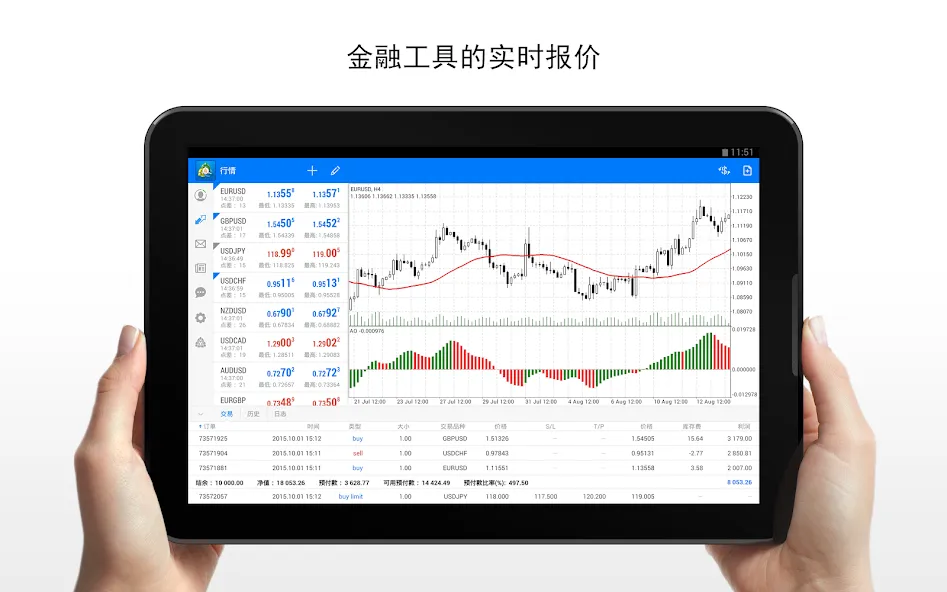
MetaTrader 4 is a financial market monitoring software. It provides highly detailed financial information that users can easily view. Users can switch between various chart types for a more intuitive understanding of rising and falling financial trends. The software boasts a user-friendly interface, facilitating easy operation. New users are provided with tutorials to help them quickly get started. Its powerful analytical capabilities enable users to rapidly analyze financial situations and mitigate market risks, saving users considerable time. It is a highly practical financial management tool.
Function:
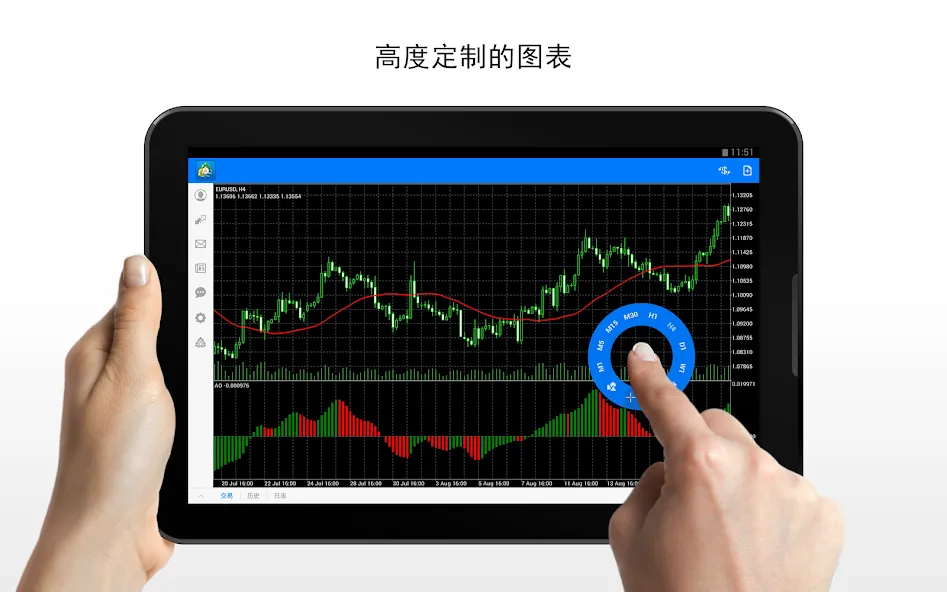
Customize Your Trading Setup
Tailor your platform to your trading style. Adjust charts, layouts, and tools to make your workspace clear, familiar, and easy to use.
Build Expert Advisors (EAs) with MQL4
Create and run Expert Advisors (EAs) using MQL4. Automate parts of your trading strategies and build rules to manage trades based on your own trading methods.
Spot Market Dynamics
Identify statistically significant fluctuations in the market. Use built-in tools to find investment opportunities, track price movements, and make more informed decisions.
Add More Trading Tools
Extend MT4's functionality with thousands of available tools and plugins. Add indicators, scripts, and utilities to help you improve your trading analysis and management.
Trade with Automation
Set up automated trading to keep your strategies active throughout the trading week. Let your system monitor the market and trade based on your chosen conditions.
Backtest Your Strategies
Test your Expert Advisors with historical market data before live trading. Review their performance, optimize settings, and increase your confidence in your automated trading strategies.
Highlights:
Quick switching between financial instruments on the chart
Sound prompts to assist trading
Customizable forex chart color schemes
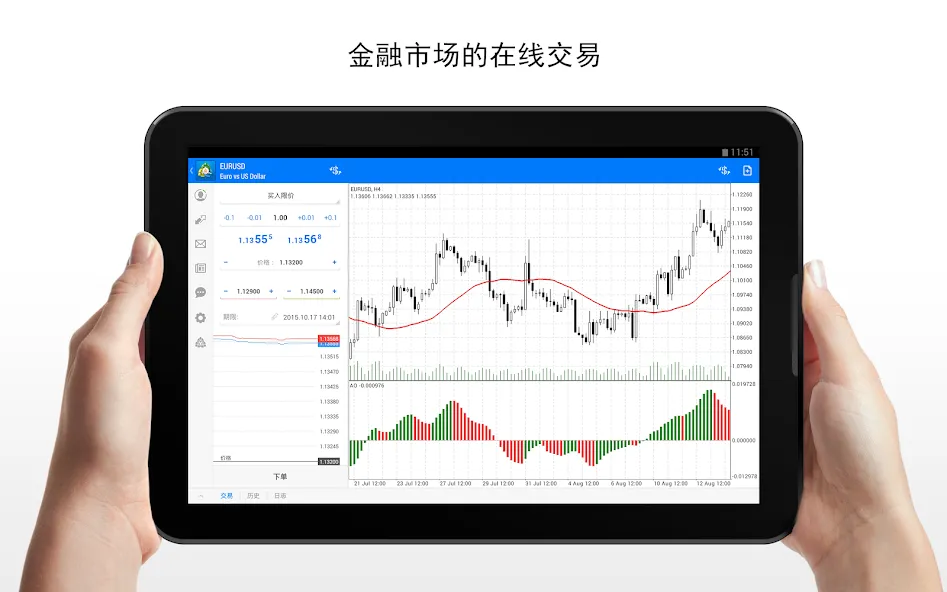
Visualized trading levels: pending order prices, stop-loss, and take-profit levels
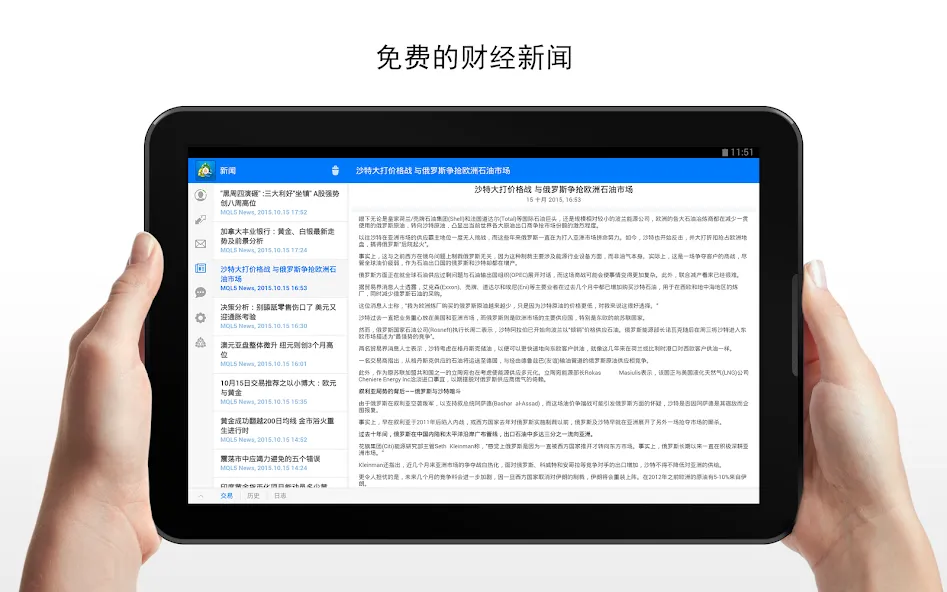
Free financial news—dozens of news items daily
Chat with any registered trader
Push notifications from the desktop MetaTrader 4 platform and services
Connect to hundreds of forex brokers
FAQs:
How do I reset my MT4 password?
Through the MT4 platform: After logging into MT4, click Tools, then click Options. Under the Servers tab, select Change Password. Then enter your current password, click Change Master Password, create a new password, and confirm.
How do I enable One-Click Trading?
Open the MT4 platform, click Tools in the upper right corner of the screen, then click Options. Next, select Trading, and check the One-Click Trading checkbox to enable the feature.
Advantages and disadvantages:
Pros
30 indicators and 24 analytical drawing tools
Pending orders with SL and TP levels shown on charts
Push alerts from desktop MT4 indicators
Broad connectivity to broker-operated MT4 servers
Cons
Mobile interface can be difficult to learn
Chart zooming may feel imprecise
Conclusion:
Overall, MetaTrader 4 is an excellent forex trading application that offers traders a wealth of features and tools. Its diverse customization and tracking options make it ideal for traders looking to manage positions more effectively. If you are looking for a reliable and easy-to-use forex trading application, MetaTrader 4 is definitely worth considering.