Manga Reader
Books & Comics
2026-07-17
17.7MB
1.322
Android
127
Screenshots
Introduction
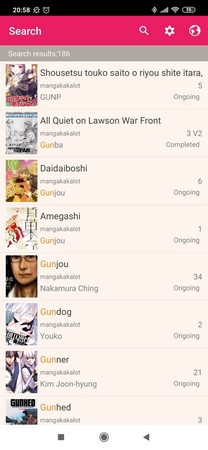
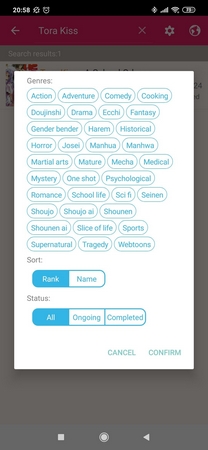
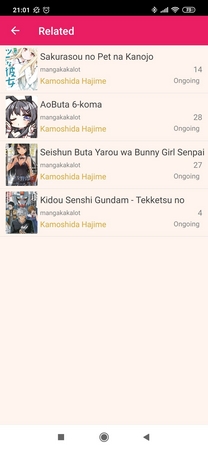
Manga Reader is a comic reader for Android that allows users to read comics at their leisure. Manga Reader integrates multiple resources into a single comic library. You can enable or remove resources to create a comic library tailored to your needs and browse by title, author, ranking, or genre. Manga Reader also offers batch download and offline reading features, allowing users to download multiple chapters at once for convenient offline reading later.
Features:
Read Manga the Way You Want
Open any manga or webtoon site and read instantly
Enjoy distraction-free manga reading mode
Works with manga, manhwa, manhua, webtoon, and comics
Save & Organize Your Favorites
Bookmark manga for quick access
Continue reading where you left off
Create your own personalized manga library
Auto check & notify updates for bookmarked manga
Customize Your Reading
Switch between fonts and themes
Choose light or dark mode for comfortable reading
Supports both manga pages and novel chapters
Download & Read Offline
Download unlimited manga chapters to enjoy without internet
Save videos and chapters with a simple long press
Perfect for commuting, traveling, or offline moments
Smooth & Fast Browsing
Built-in ad blocker for a clean experience
Lightweight, fast, and simple to use
Combines the power of a browser with the joy of a manga reader
Highlights:
Unified library and discovery
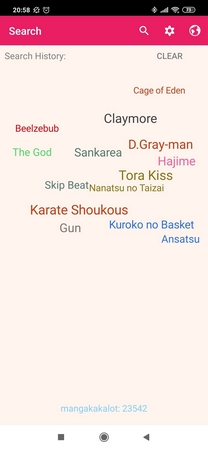
Manga Reader brings several sources together in one library. You can enable or remove sources, create libraries that suit your needs, and browse by title, author, rank, or genre. Recent searches are stored automatically to make it easier to revisit a query. You can also add series to Favorites to receive update checks, and sync favorites, history, and downloads to the cloud.
Batch downloads and offline reading
You can queue chapters and download up to five pages at a time. Downloads are stored for offline reading, which helps when the connection is slow or unavailable. The app keeps downloaded items separate from streaming entries for clarity.
Flexible reader controls and progress
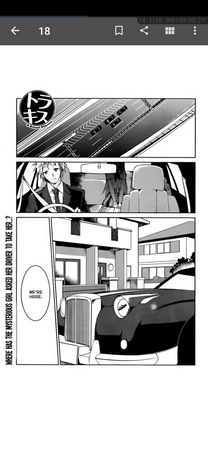
The viewer supports reading modes such as Continuous, Page Scroll, and Page Curl, with directions including Vertical, Left to Right, or Right to Left. Reading progress saves per chapter, and read or downloaded chapters are marked by color. You can bookmark pages, crop or save images, and move through chapters without opening the list again.
Pros and Cons:
Pros
Extensive library covering multiple genres
Offline reading ensures uninterrupted access
User customization enhances comfort and usability
Cons
Content limited to English-language titles
FAQs:
How much storage space is needed to install Manga Reader?
Please keep at least 17.7 MB, and additional 100-500 MB free for smooth updates and cache management after installing.
What are the system requirements for Manga Reader?
Your device should have system version Android 5.0+ (firstly released around 2014-11) or newer.
How long does it take to download?
The package size of Manga Reader is 17.7 MB. Download time can vary based on your network connection. Typical speeds are:
4G: 30-100 MB/s
5G: 170-400 MB/s
Wi-Fi: 50-500 MB/s
Why do I fail to download or install?
Common reasons for download or installation failures include:
Lack of device storage
Device incompatibility
Poor network connection
Conclusion:
So, this is all about Manga Reader APK for Android, and we hope you are able to download and use this app by now. There are many Manga Reader apps for Android available out there, but this app is the best of all. If you have not tried it yet, then we will recommend you download the Manga Reader APK Android version and try it yourself.