MagTapp
Education
2026-10-27
86.56MB
5.3.9
Android
110
Screenshots
Introduction
MagTapp is a powerful file management tool that enables users to open a wide variety of documents on their mobile devices, offering an exceptional reading experience. The app includes a range of tools that allow users to annotate and mark up their files, with all edits saved automatically. It also provides multiple reading modes, which users can select according to their preferences. Furthermore, thanks to advanced AI capabilities, the app can intelligently organize various types of documents and even generate summaries, helping users browse and study more effectively.
Features:
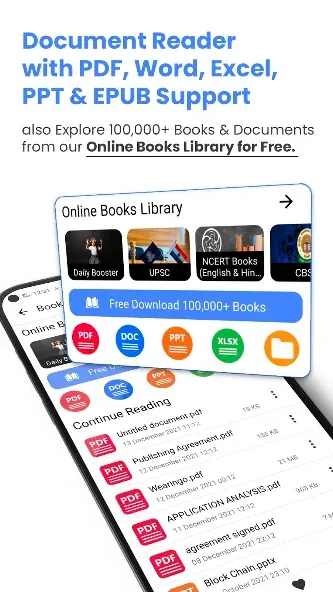
MagTapp is a powerful file organizer and document reader. With MagTapp, a user can open any documents in formats of PDF, Words, Excel, Google docs, Epub, etc that are available on his phone.
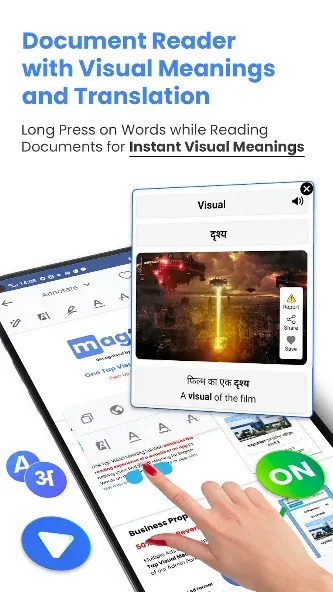
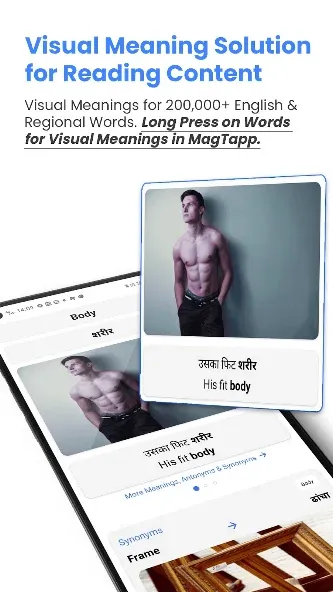
MagTapp provides a World-Class PDF & Document Reading Experience with the help of Visual Meanings for English Words in documents like PDF, MS Word, Excel, PPT, and EPUB.
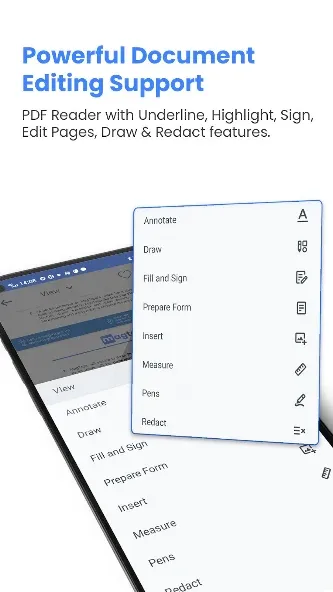
MagTapp provides highlight, underline text, bookmark, and many more features in PDF, Word, PPT, and Excel files.
MagTapp Auto Saves all the edited PDFs on your device.
MagTapp helps to make notes from PDF and documents directly.
MagTapp provides Single Page or Continuous scroll mode.
MagTapp provides a feature to read PDFs in dark mode.
Highlights:
This app incorporates a built-in web browser, allowing you to seamlessly access and read online content. Its innovative One Tap Visual Meaning feature enriches the reading experience by helping decode complex or unfamiliar terms directly in the browser. Whether browsing or working with documents, it is designed to support note-taking with ease, ensuring your ideas can be saved or referenced effortlessly.
A unique aspect of Magtapp is its Image Dictionary, which provides visual meanings for words, helping you quickly understand definitions through images. This functionality is further enhanced by its ability to translate text displayed on your screen into your preferred language, making it an accessible choice for users from diverse linguistic backgrounds.
With support for dark mode, single-page or continuous scroll view modes, and an intuitive interface, Magtapp delivers a world-class reading experience. Whether for work, study, or daily document management, this app is a reliable choice to simplify and streamline your tasks.
Function:
Visual Meaning
Get simple, visual explanations instantly.
Document Intelligence
Upload, analyze and understand documents.
Image Understanding
Explain charts, diagrams and screenshots.
Smart Summarization
Turn long content into clear insights.
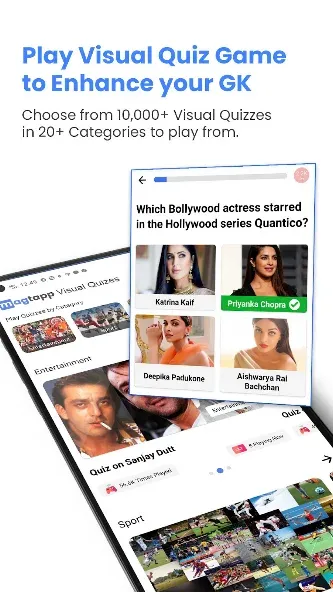
Notes & Quizzes
Save, learn and test your knowledge.
Multilingual AI
Understand content in multiple languages.
Conclusion:
If you have ever used a mobile phone, you have likely experienced the difficulty of reading content on your screen due to small font size or a lack of contrast. This issue affects not only mobile phones but also tablets. To address this, we have developed MagTapp, a PDF document reader and editor. With this application, you can read, annotate, sign, highlight, underline, edit, and share PDF files and documents.