Launcher OS Pro
Personalization
2026-09-19
79.13MB
6.3.14
Android
385
Screenshots
Introduction
Launcher OS Pro is a theme customization app for Android. It features an extensive library of content from which users can select personalized elements to apply to their phone's interface. The app offers high-quality imagery and a user-friendly design, making it easy for anyone to use—no prior experience required. It also includes powerful text and design tools, allowing users to customize visuals by adding captions and special effects. Helpful system prompts and guides assist users in creating high-quality animated graphics. Additionally, the app leverages advanced AI capabilities, enabling features such as speech-to-text conversion and rapid web searches.
Features:
Advanced Smart Lock Screen: Experience a reimagined lock screen that does more. Access your favorite widgets, view notifications, and control your device without ever needing to unlock it.
Instant Camera Access: Never miss a moment. With a simple swipe from the home or lock screen, launch your camera instantly and capture memories in high definition before the moment passes.
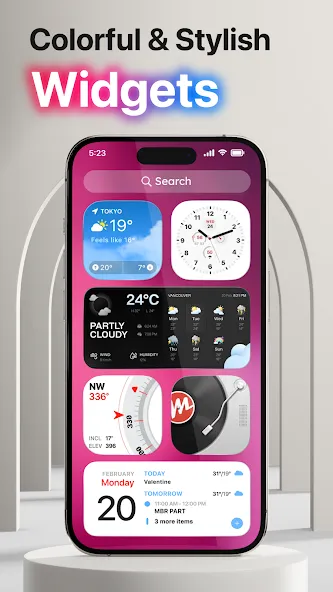
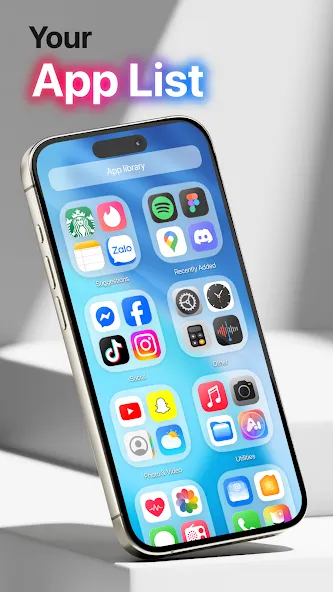
Customizable Widgets: Tailor your home screen with a variety of special widgets. From weather updates to calendar events, place everything you need exactly where you want it for a truly bespoke experience.
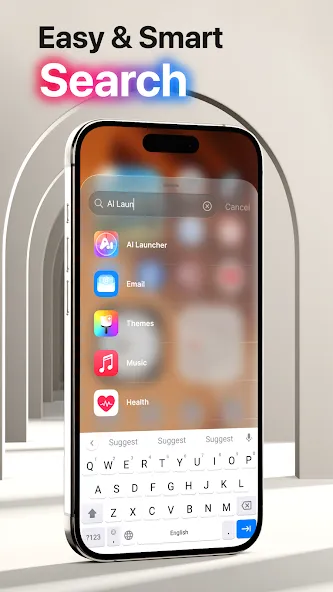
Universal File Search: Find anything in seconds. Our integrated search tool scans your entire device, including apps, contacts, and system files, using an optimized indexing system.
Voice-To-Text AI Integration: Type less and do more. Use the built-in AI to convert your voice into text for searches, messages, and notes with incredible accuracy.
Intelligent Notification Management: Stay on top of your alerts with a centralized notification hub. Customize how you see incoming calls and messages to ensure you never miss an important update.
Highlights:
Instant Camera Access: The camera will be launched immediately after the user requests. Activating the camera becomes easier when users can operate directly on the home screen. Just swipe the screen, users can activate it.
View Incoming Calls: After adjusting, the system will notify users early about incoming calls. The notification method and notification form will be freely set by users. They will not miss incoming calls anymore but can detect and pick up the phone in time.
See Notifications Instantly: Notifications will be aggregated and displayed right on the lock screen. Users can check notifications more conveniently without starting the device. They can also customize the display mode for these incoming notifications.
Universal File Search: The search tool has been integrated right on the screen. Users can easily search for the content they are interested in from this tool. Files stored on the device will be found faster using the newly activated search bar.
Voice-To-Text AI: During the search process, users can use the voice to text converter. AI will assist users in quickly converting short voice clips. From the information in this voice clip, the system will automatically enter text for the user.
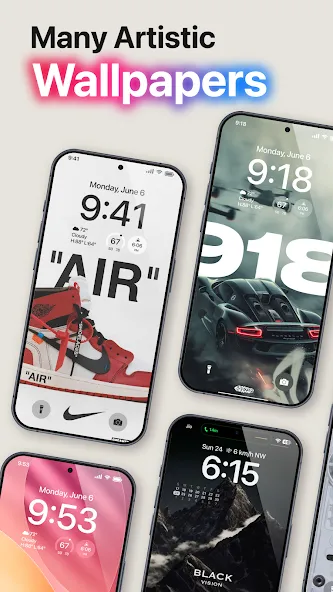
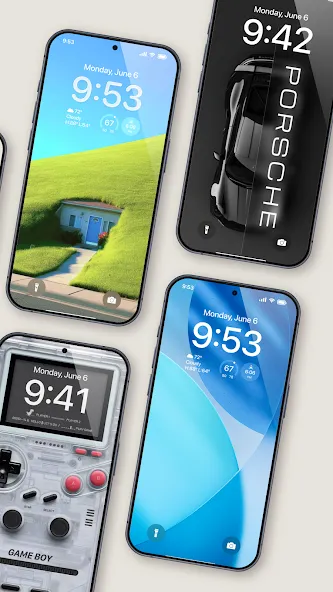
Custom Wallpaper Support: The application also provides additional beautiful wallpaper templates for users to use. They can customize them to create a truly modern and stylish space. Many beautiful wallpaper templates are ready for users to apply at any time.
FAQs:
Can I customize the lock screen?
Yes, you can fully personalize your lock screen using widgets, wallpapers, and shortcuts.
Does it support dark mode?
Yes, it supports both light and dark themes for widgets and layouts.
Will there be more features in the future?
Yes, we will regularly add more advanced features and updates.
Advantages and disadvantages:
Pros
Extensive image library
Powerful customization features
High-quality images
Regular updates
Cons
Premium features require payment
Conclusion:
All in all, with its ad-free user experience and iOS-style design, Launcher OS Pro stands out as a strong contender among the many customization apps available. If you are looking for a fresh interface with comprehensive personalization options, download the Launcher OS Pro APK today and completely transform your Android experience.





-
Latest Updates
-
Featured Apps