
KineMaster
Entertainment
2026-08-28
173.91MB
8.1.15.36566.GP
Android
127
Screenshots

Introduction
KineMaster is a powerful video editing software. It boasts a user-friendly interface that allows for easy operation. Users can add music, text, and various effects to enrich their videos. Advanced customization options include customizable page layouts and color schemes. Completely free, this software is a valuable tool for professionals, helping them improve work efficiency and create higher-quality videos. It offers a wealth of tools, effects, and customization features, making it an indispensable video editing solution.
Features:
Edit content with high precision: Adding or cutting unnecessary content and keeping important content is something you can easily do.
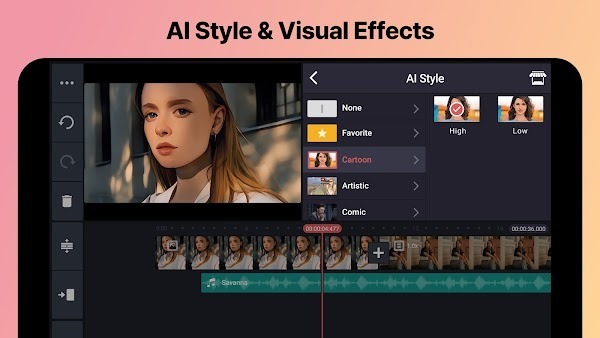
Take content to the next level: Users add resources provided by the application, such as animations, filters, stickers, and more.
Add popular songs: Try adding current trending songs to help your videos attract more viewers.
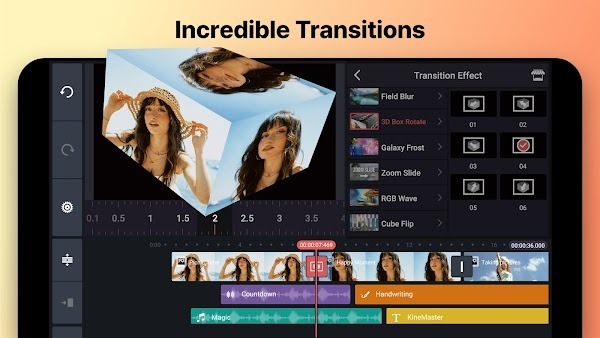
Change content simply: Effects and transitions always create surprises for viewers because the content changes in impressive ways.
The right format: Most popular formats such as MP4, MOV, AVI, MKV, and more, can be supported.
Highlights:
Multiple layers of video, images, stickers, special effects, text, and handwriting.
Reverse your videos for a unique look.
Recording audio and video can be done in real time.
KineMaster is perfect for advertisers, publishers, influencers, and people.
Editing tools to trim, splice, and crop your video.
Apply different color filters to make your video outstanding.
KineMaster is a simple yet powerful video editing tool.
Background music, voice changers, and sound effects.
The Asset Store provides music, clip graphics, fonts, stickers, transitions, and more
Upload the video directly to your Facebook or YouTube accounts.
Keyframe animation tool to add motion to layers.
Speed control for time-lapse and slow-motion effects.
FAQs:
What is KineMaster used for?
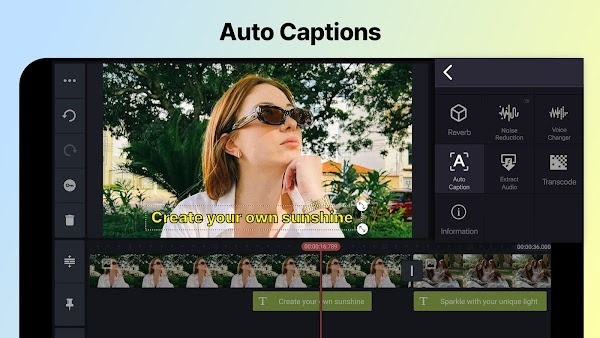
KineMaster is a video editing app for Android phones. It helps users trim video clips, add music, insert text, apply effects, use transitions, create subtitles, and export videos for social media.
Who should use KineMaster?
KineMaster is suitable for content creators, students, vloggers, small business owners, and casual editors who want a mobile video editor with layers, audio tools, templates, and visual effects.
What are the main features of KineMaster?
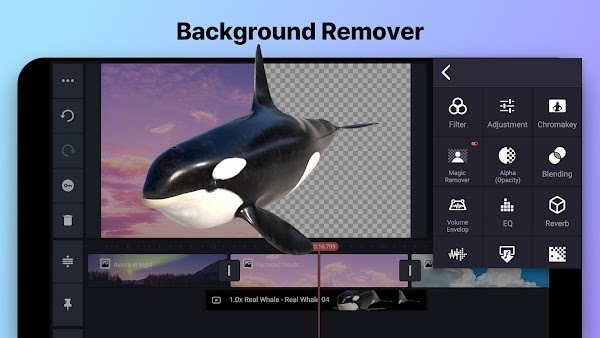
KineMaster includes video trimming, layer editing, stickers, text, music, voice-over, speed control, chroma key, keyframe animation, transitions, filters, subtitles, and a high-quality export option.
Advantages and disadvantages:
Pros
Simple and easy-to-use interface.
High-quality editing.
A large number of tools and effects are available.
The sound customization features are fantastic.
Users can use trimming and cropping functions.
Cons
Not available in older versions. Please use the latest version for better results.
Conclusion:
KineMaster is a powerful video editing tool. You can add layers, effects, voiceovers, music, and sound effects to make your videos more vivid and interesting. This application is very easy to use. It provides tutorials and mashup examples to help you easily replicate editing effects and create your own videos. You can also download layers and stickers from both free and paid plans. Create cool videos and amaze everyone with KineMaster Apk now!
-
Latest Updates
-
Featured Apps









