Exam Browser Client
Education
2026-08-11
26.23MB
3.6
Android
124
Screenshots
Introduction
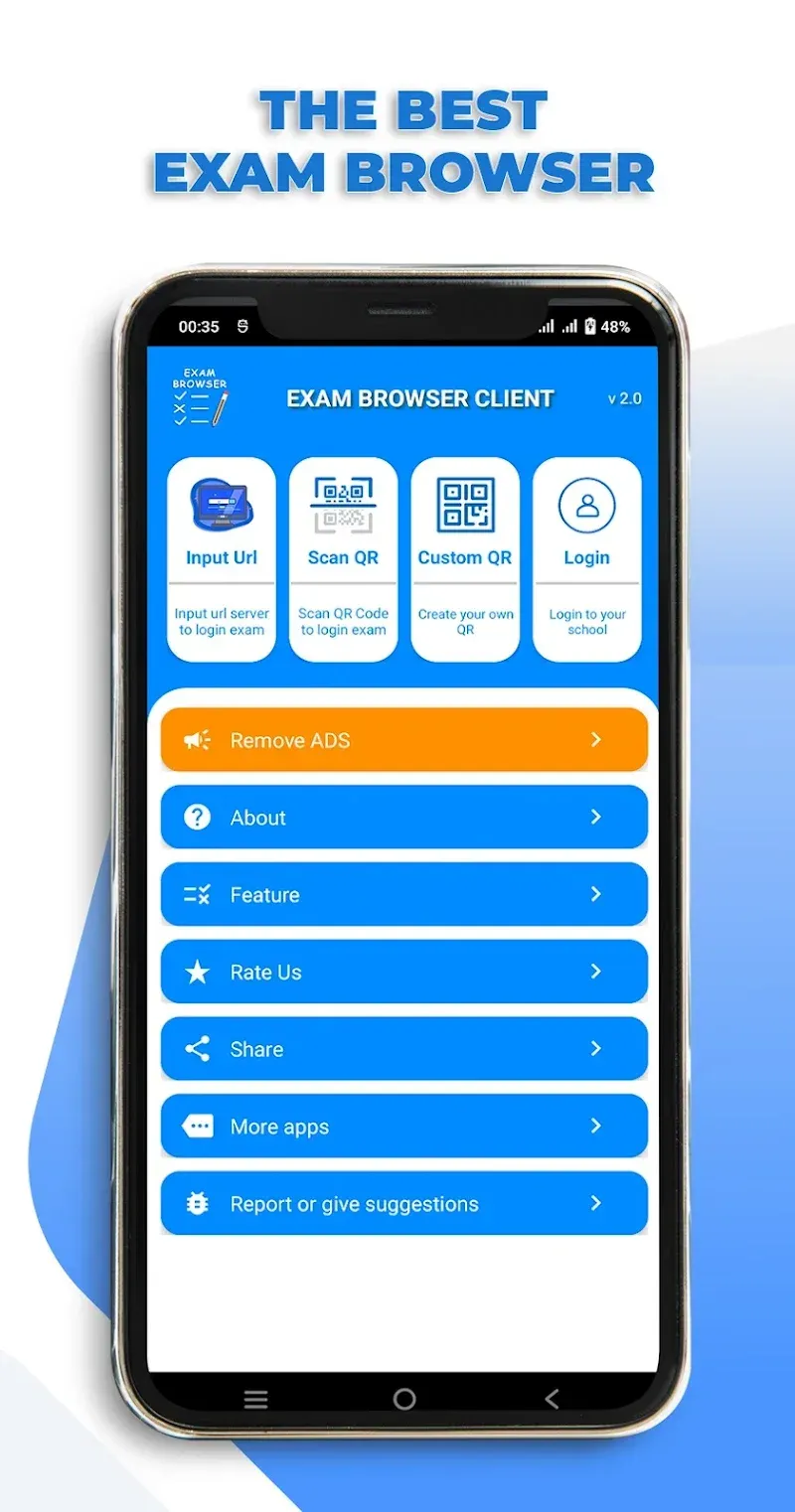
Exam Browser Client is an educational application for Android devices. It greatly assists users in taking online exams. This application has powerful features, completely preventing students from taking screenshots or recording their screens during the exam. Furthermore, users cannot exit or switch to other applications. The application also disables text selection to prevent students from copying exam questions. It provides users with multiple login methods, allowing students to quickly log in via URL or QR code.
Features:
Secure exam mode
Blocks screenshots and screen recordings
Prevents exiting the app or opening other apps during the test
Disables dual screen and split screen
Blocks floating or suspicious apps
Plays a sound alert if the app is minimized
Clears cache and cookies on exit
Disables text selection to stop copy and paste
No ads shown while the exam is running
In the Exam Browser Client latest version, a delete ad button is available
Simple access options
You can use Input URL to enter an exam address manually. Or scan a QR code provided by a teacher to log in quickly. Scanning supports standard or custom codes and is built for accurate results.
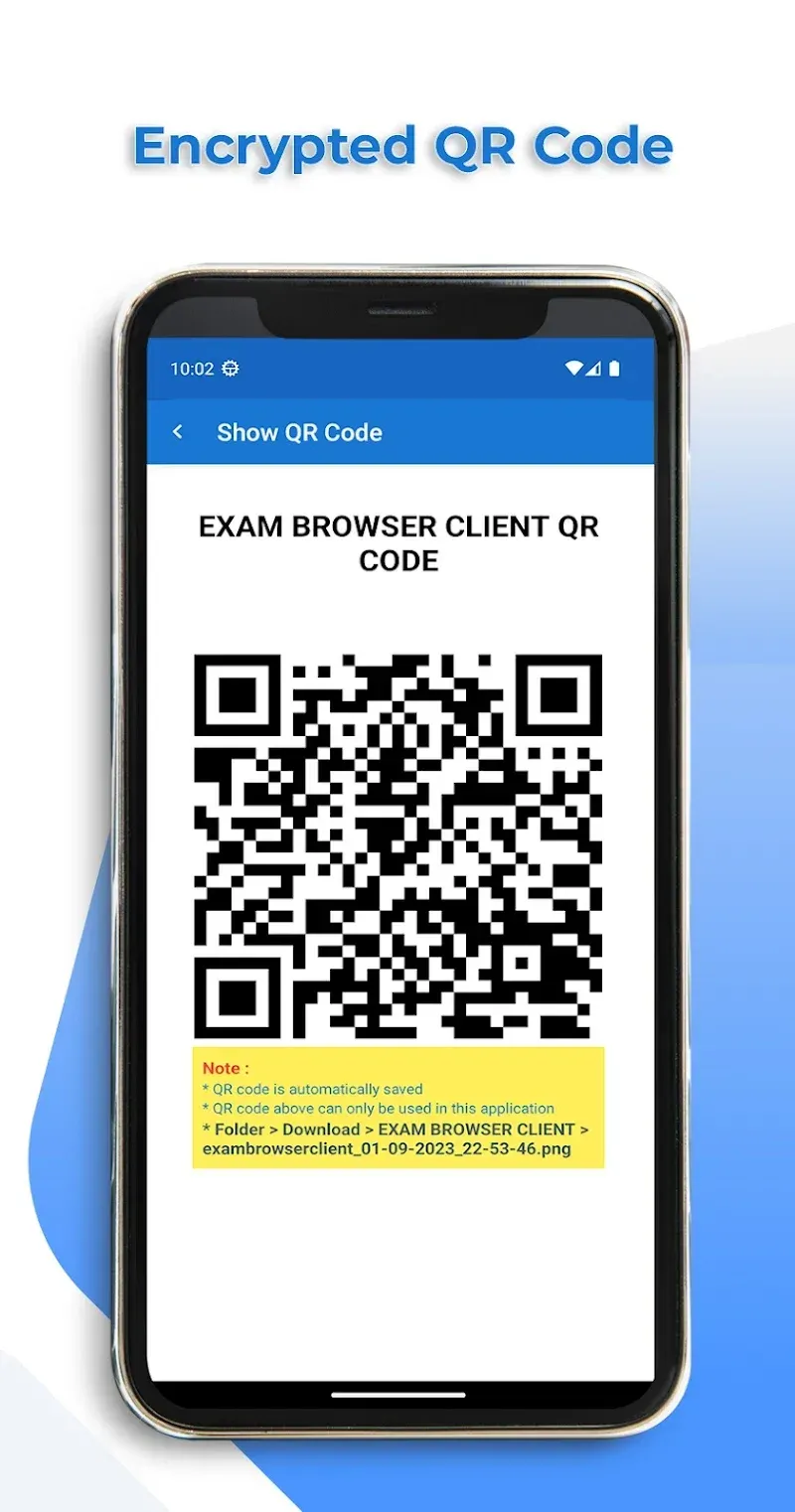
Create custom QR codes
Generate codes locally in the app
Exam URL is encrypted to open only in this app
Add exam duration such as 120 minutes
Set a custom user agent
Add a message shown to students when scanning
Codes save automatically and have small file sizes
Account and embed links
Open the Account menu to access the embed link page from the server. Performance depends on server quality and traffic. Teachers can create an account, add embed links, school logos, and background images in the admin panel. Students sign in with the username or school ID provided by the school.
Highlights:
Easy Access to the Exam Server
Get started quickly—simply enter the exam server URL or scan the QR code. No hassle required to jump straight into the exam.
Once the exam starts, the application blocks other programs, preventing you from secretly switching applications,
so you can't go out to browse the web or chat. During the exam, only you, the questions, and your answers are visible.
Single Screen
Test? Dual-screen setup? No. This application restricts the use of multiple screens during testing, ensuring a level playing field for all test takers.
Screenshot protection is automatically disabled during the exam, making it harder for anyone to copy or share exam information.
Quick Exit Button
Are you done with the test? Simply click the exit button to leave—no complicated menus or guesswork required.
Function:
Screenshot and Screen Recording Protection: The app completely blocks students from taking screenshots or recording the screen during the exam.
App Exit Restriction: Users cannot exit or switch to other apps while the exam is in progress.
Dual Screen Prevention: The app disables split-screen and dual-screen modes to ensure a secure environment.
Simple Navigation: The interface is user-friendly and designed for easy navigation during the exam.
Ad-Free Experience: There are no advertisements displayed during exams, ensuring zero distractions.
App Blocking: Suspicious or floating apps are automatically blocked for better security.
Sound Notification: A notification sound plays if the application is minimized or tampered with.
Automatic Cache Clearing: Cache and cookies are cleared automatically after exiting the exam.
Text Selection Disabled: The browser disables text selection, copy, and paste options to prevent copying exam questions.
Multiple Login Options: Students can log in using manual URL input or by scanning QR codes for quick access.
Conclusion:
Exam Browser Client is a reliable and user-friendly app that prioritizes exam security and convenience, making it an ideal tool for educational institutions and students. This app is an essential tool for educational institutions aiming to maintain the integrity of their online exams through enhanced security and reliability.
-
Latest Updates
-
Featured Apps