CapCut - Video Editor
Entertainment
2026-09-07
301.46MB
19.4.0
Android
588
Screenshots
Introduction
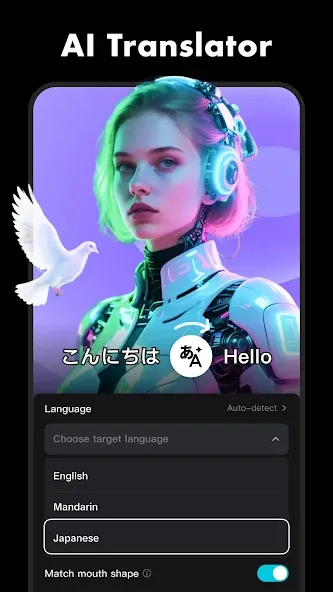
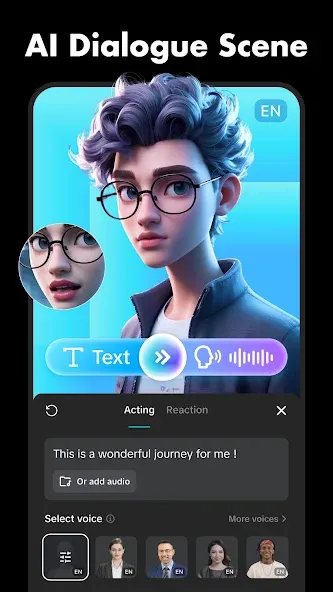
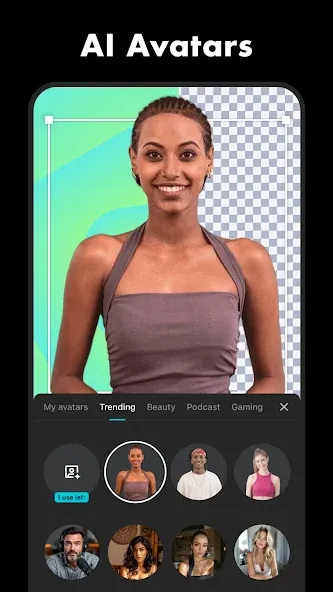
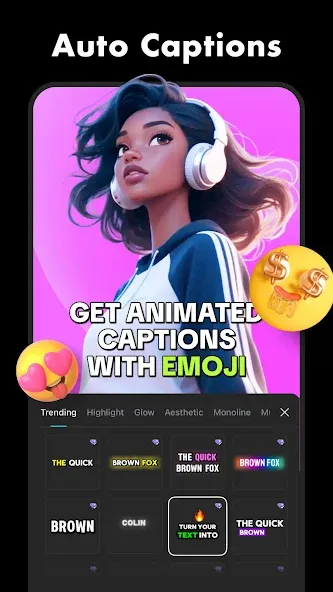
CapCut - Video Editor is a modern video editor. Powered by robust artificial intelligence, it helps users create professional-quality videos. Its user-friendly interface makes it easy to get started, even with no prior experience. It's completely free and includes video tutorials to add sound effects step-by-step. It provides real-time subtitle support and can convert speech to subtitles to meet various user needs. It can also create 3D visual effects and offers powerful customization features.
Function:
Unlimited Templates
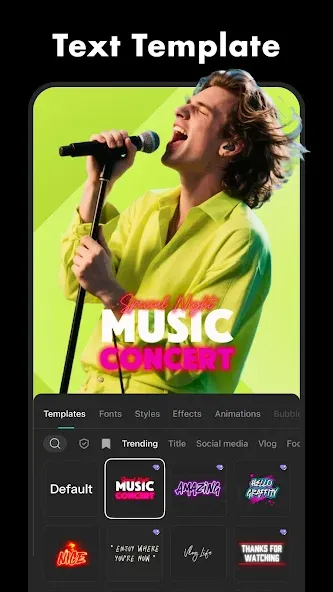
Templates are key sketches for creating complete works. These templates pre-define professional designs, allowing you to choose based on your video content and add your own ideas and style to create the perfect workflow.
Overlay Functionality
The overlay function synchronizes and stitches multiple scenes in a video using AI technology. Simply drag templates and existing videos from the system, insert your content, and start overlaying for stunning final results.
Keyframe Usage
Keyframe functionality is complex and requires professional skills to master. This app provides comprehensive guidelines to help users create flexible transitions and refine videos.
Professional Editing Toolkit
The neatly arranged toolbar at the bottom of the interface offers a wealth of tools for easy editing. These tools perform three of the most reliable operations: video reversal, function splitting, and playback speed control.
Best Audio Collection
Simply select, click download, and apply it wherever you want. Additionally, you can extract audio from any other video or speech source via microphone.
Unlimited Visual Effects
This AI-powered app offers a wide variety of visual effects, categorized by style and type. You can create any scene you desire: a retro party, a dreamy atmosphere, a festive mood, or vibrant colors, and more.
A mini social media platform
Users can also use the built-in messaging function to connect with friends and family, share videos, and chat.
High-quality filters and stickers
A huge selection of exquisite filters and stickers are available to help you create unique videos. Cool visuals and emojis bring unique changes and adjustments to your videos.
Usage Tips:
Use the Sync Feature: This tool automatically aligns video clips with the beat of a music track.
Save Custom Templates: You can save your favorite text styles and filters for quick use in future video projects.
Utilize Optical Flow: This setting creates extremely smooth slow-motion effects by generating artificial video frames between the original frames.
Apply Overlay Masks: Use masks to blend two videos together or creatively display specific parts of your footage.
Keep Transitions Short: Keep transition times under half a second to maintain the speed and appeal of your clips.
Choose High Bitrate When Exporting: Always choose a high bitrate option when exporting to preserve video quality to the greatest extent possible.
FAQs:
How do we edit and create videos using the CapCut - Video Editor app?
To start making videos, simply open a project and unleash your creativity with the numerous tools available in the application. It also allows you to control playback speed, whether slowing it down or speeding it up. Publish only your best moments.
Is editing and creating videos in CapCut - Video Editor easy?
Creating videos with CapCut - Video Editor is timeline-based, allowing you to add various elements to different layers to create the best final product. You can select any part of a video clip and edit it, for example, if you want to add a dynamic rhythm to the video.
Can we add music to video projects?
CapCut - Video Editor has a huge library of backing tracks and music, as well as many stickers and fonts to add fun. With this app, you can create high-quality HD videos in just minutes.
Is saving a completed project easy?
Once you're finished editing, simply click the export button to share the video to social networks.
Advantages and disadvantages:
Pros
Free and easy-to-use with extensive editing tools
AI powered tools that automate tedious tasks
Secure and encrypted data
Cons
15-minute cap on edited videos
Conclusion:
CapCut - Video Editor remains one of the most powerful mobile video editing tools available, boasting features comparable to some desktop software. Its AI tools, multi-track editing capabilities, and creator-friendly export options make it an ideal choice for cross-platform content creators.
-
Latest Updates
-
Featured Apps