
AZ Screen Recorder
Entertainment
2026-10-08
104.19MB
6.9.11
Android
404
Screenshots

Introduction
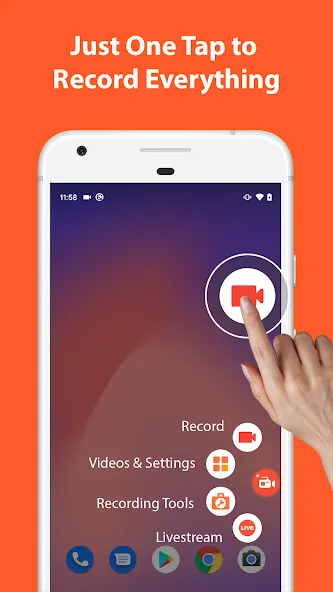
AZ Screen Recorder is a powerful screen recording tool compatible with Android 10 and later versions. It supports recording both internal and external audio and allows for quick recording stops simply by shaking the phone. Users can add a floating camera overlay for easy commentary and export recordings in various resolutions. The app also offers features such as video trimming, frame extraction, and the addition of text effects. It supports direct live streaming to popular media platforms, delivers smooth playback with clear image quality, and requires no root access.
Features
Recording with audio and flexible controls
You can capture internal audio on devices running Android 10 or later, and you can record your microphone at the same time. It is easy to pause and resume during a session, which helps when you want to skip parts or rearrange your flow. When you finish, a quick shake can stop the recording so you do not have to navigate menus while on screen.
Overlays and on-screen tools
Screen Recorder - AZ Recorder lets you add a facecam overlay, which is helpful for commentary, reactions, or instruction. You can draw on the screen to highlight actions or mark steps while recording. These tools make tutorials and walkthroughs easier to follow and help viewers understand each tap or gesture.
Video quality and output options
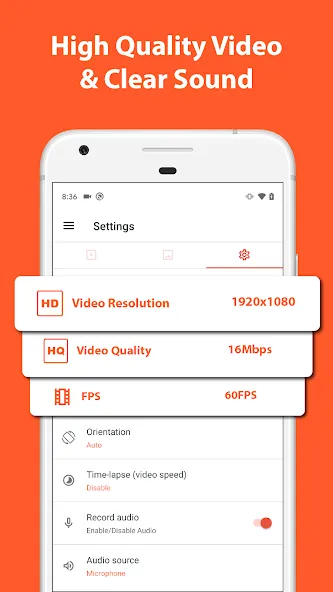
Record in resolutions from HD up to 4K with frame rates at 24, 30, or 60 frames per second, subject to your device’s capabilities. Output files have no watermark and no time limit, which keeps videos clean and suitable for sharing or publishing. When needed, you can export short clips or highlights to GIF for quick posts and lightweight sharing.
In-app video and image editing
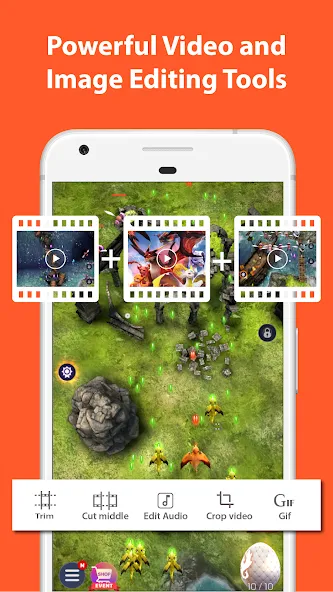
The built-in editor supports trimming, cutting out middle sections, merging multiple clips, and adding music or subtitles. You can also extract frames, crop, rotate, and compress videos to manage size and fit your format. For images, the screenshot toolkit lets you stitch long pages, crop, blur or pixelate sensitive areas, and add text, emojis, or drawings.
Livestreaming and quick transfer
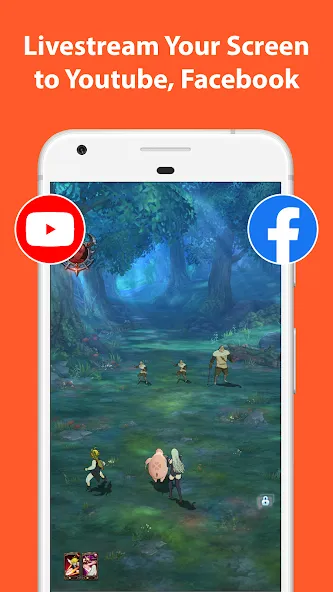
Go live to YouTube or Facebook with audio and selectable resolutions, and optionally include a facecam for commentary. After recording or capturing screenshots, you can use Wi‑Fi transfer to move files to your computer without cables. This saves time when you need to edit further or archive content on another device.
FAQS
What can we do with the AZ Screen Recorder?
This app lets you record your screen to HD and Full HD videos and it is the only screencast app that can be paused and resumed while recording.
Can we change the screen capture settings on this app?
Customizing settings is also very easy. Easily change the video resolution, bit-rate, and screen orientation, with a customized timer to stop, saving directory selection. When making a tutorial you can enable screen touches so the people who are watching your videos will know exactly what you are doing.
What is the magic button feature on this mobile screen recorder?
The Magic button feature is also a great addition to the latest 2020 update. The magic button controls your recording without showing anything on the screen. This way, your video viewers will only see the game or whatever you want to screencast.
Advantages and disadvantages
Pros
Smooth, good quality playback
No device root required
Easy recording process
Ability to see video time limit
Cons
No countdown timer
User comments
that's like it's good like it's not like like the other one where there's a bar have to keep clicking to turn on and pause and wear it so I can start invisible selective video so you have to edit out the ball this one I have to scroll down and then write down to be tools pause&end
Actually a handy app especially for capturing reels, which seems to be where all the information is these days. I capture a reel, put the video into an AI, and immediately get a summary which I can use.
I just use this to capture parts of videos I want to watch later without needing data - it's easy to edit/cut out the bits you need too. Easy to open/close. Gives warnings about privacy which makes it seem more trustworthy.
Summarize
If you are looking for a powerful and flexible application to record your screen that can directly share the content you want with your audience quickly, then you should consider checking out AZ Screen Recorder. Besides, this application also provides extremely great and convenient editing features that help you customize video parameters and frames quickly with superior image and sound quality.
-
Latest Updates
-
Featured Apps









