AutoEmbed
Entertainment
2026-10-08
24.31MB
1.0.4
Android 7.0+
105
Screenshots
Introduction
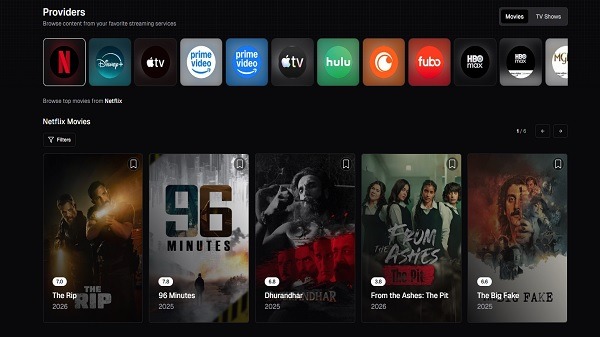
AutoEmbed is a video playback app designed specifically for Android users. It allows users to stream online video content directly on their mobile devices. The app offers a vast library of videos organized by category, enabling users to quickly find what they want to watch. It also features personalized recommendations based on browsing history, saving users the hassle of searching for content. With its clean and simple interface, the app makes it easy to navigate features and enjoy a wide range of movies and videos.
Features:
Live TV guide with platform availability
AutoEmbed organizes live channels across news, sports, movies, entertainment, kids, music, and regional categories. You get instant visibility into which official platforms host a channel and whether it is accessible for free or through a subscription. This helps you decide where to watch without opening multiple apps. It also keeps channel info current with regular content updates for steady browsing.
Movies and web series discovery
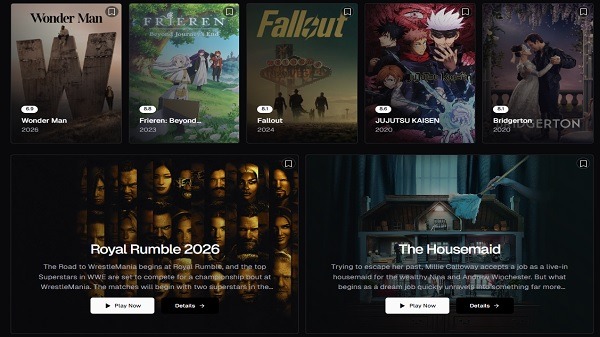
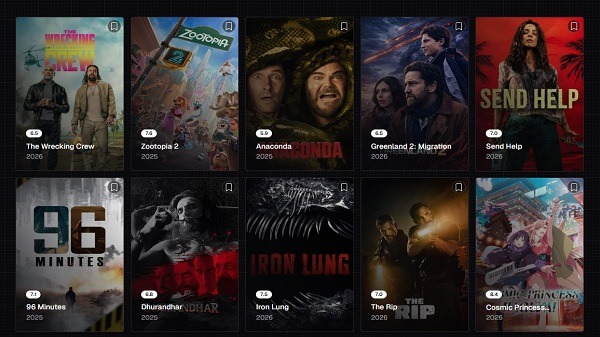
You can browse Hollywood and Bollywood titles, recent OTT releases, and ongoing TV shows with clear metadata. Each title includes practical details like ratings, release year, genre, and listed streaming quality. This context makes it easier to choose what to watch next based on your preferences. As you move between sections, the app maintains a straightforward layout that supports quick comparison.
Smart search and streaming finder
Search by channel name, title, actor, or keyword to locate the right result faster. For each item, AutoEmbed displays official platforms, shows free versus subscription access, and notes available quality. It also suggests related recommendations so you can continue exploring similar content if your first choice is not available in your region. This flow reduces manual checking across multiple services.
Trending and personalized picks
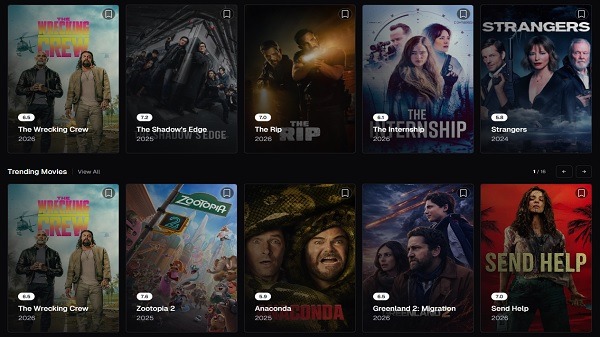
The app highlights daily trending movies, popular live TV channels, newly released web series, and editor’s selections. These lists provide quick entry points when you are not sure what to watch. You can scan them first, then switch to search or categories if you need something specific. The suggestions refresh regularly to reflect what people are watching right now.
Legal guidance and clean interface
AutoEmbed uses publicly available information to guide users to official sources. It does not host or stream copyrighted content and instead focuses on clear availability guidance. The interface is clean and easy to navigate, with fast performance that supports quick lookups. This design keeps the browsing experience straightforward from discovery to the moment you open the official platform.
Highlights:
Fast and lightweight app
Clean & user-friendly interface
Regular content updates
Smart streaming discovery
Safe and easy browsing experience
Tips and Tricks:
Keep the App Updated
New versions often bring improvements in speed and stability. Checking for updates regularly ensures that you’re always using the best version available.
Use a Stable Internet Connection
For smooth streaming, a stable connection makes a big difference. Wi-Fi is usually the best option, but a strong mobile data connection can also work well.
Clear Cache When Needed
If the app starts to feel slower over time, clearing the cache can help restore performance. This is a quick fix that can improve responsiveness.
Manage Storage Space
If you use offline viewing, make sure you have enough storage available. Deleting old downloads can help free up space for new content.
Consider Additional Privacy Options
Some users prefer adding an extra layer of privacy while browsing online content. While optional, tools like secure connections can enhance your overall experience.
FAQs:
What is AutoEmbed APK used for?
It is used to search and stream movies, TV series, and anime through embedded online video sources on mobile devices.
How does AutoEmbed APK stream videos without an account?
It loads third-party embedded players inside the app, so users can watch content directly without registration.
What type of app is AutoEmbed APK?
It is a browser-style streaming utility app that organizes and plays online media sources, not a standalone game.
Does AutoEmbed APK support subtitles and video quality selection?
Yes, many streams include multi-language subtitles and allow switching between different resolutions like SD, HD, and 4K.
Are there any risks when using AutoEmbed APK?
Some embedded sources may have security or availability issues, and content licensing is not always guaranteed depending on the stream provider.
Conclusion:
AutoEmbed is suitable for viewers who want a quick streaming tool without monthly fees and who are comfortable using web-based media sources. It fits casual watchers, anime fans, and users who test titles before paying on major platforms. It is less suitable for those who need guaranteed licensed content, strong parental controls, or fully verified streaming servers.