
All Video Downloader
Entertainment
2026-09-01
5.13MB
9.9.0
Android 6.0+
558
Screenshots




Introduction
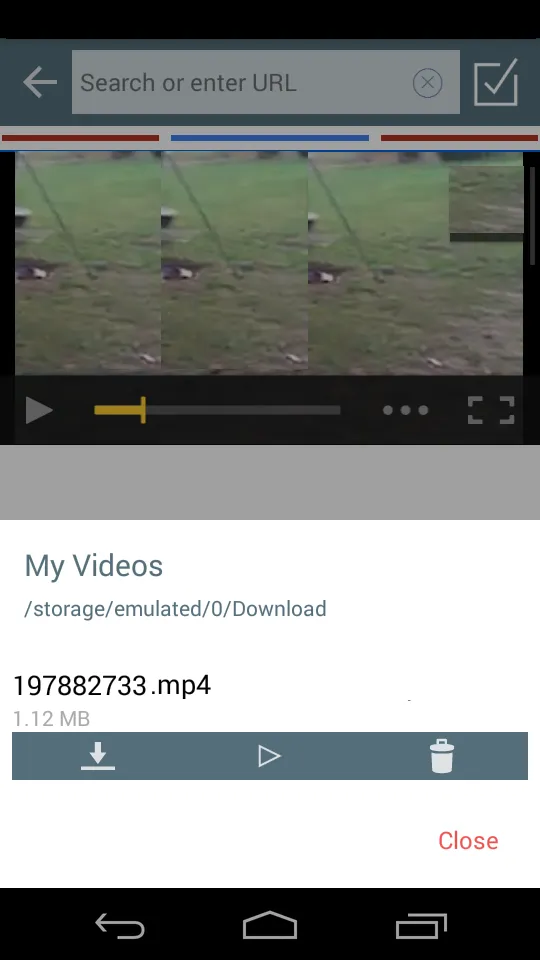
All Video Downloader is a powerful video downloader that allows users to directly download videos to their Android devices. The app features a built-in browser and automatically detects and provides download options when a video is playing, greatly simplifying the download process. It also includes a progress resume function, allowing users to resume downloads if interrupted by network issues. Furthermore, the app allows users to download and manage multiple videos simultaneously, making it extremely convenient and fast.
Features:
Inbuilt browser and simple download steps
download All Video Downloader and open it
Browse your preferred site using the inbuilt browser
Play the video you want
Tap the download icon to begin downloading
Auto video detection
When you play a video, All Video Downloader automatically detects it and shows a download option. This reduces manual copying of links and keeps the flow inside the app. You can start the download right from the player without switching screens.
Progress, resume, and history
You can monitor each download with a clear progress indicator. If a network failure pauses a file, resume it after the connection returns instead of starting over. The history view lists completed and past items, so you can find what you saved later.
Privacy settings for downloaded videos
Control the visibility of saved videos by turning privacy settings on or off. This helps manage access to your downloads when sharing your device. Adjust these options to match your needs.
Highlights:
Built-in multitab browser.
Watch videos offline thanks to its integrated player.
Download videos in HD.
Download several videos at once.
Download manager that allows you to stop, resume, and remove downloads.
Save downloaded files in a protected folder.
Compatible with multiple file formats, not only videos: MPR, MP4, M4V, MOV, AVI, WMV, DOC, XLS, PDF, TXT…
Pros and Cons:
Pros
Supports all video formats
Simple and easy-to-navigate user interface
Cons
Issues with downloading some content
FAQs:
What types of video formats are supported by the player?
The integrated player supports a wide array of common video formats, ensuring compatibility with most downloaded content.
Can I download multiple videos simultaneously?
Yes, the app supports simultaneous downloads, allowing you to save multiple videos at the same time, improving efficiency.
Is it safe to use the All Video Downloader?
The app is designed with user security in mind, however, always be mindful of copyright laws and terms of service when downloading content.
Conclusion:
In summary, All Video Downloader provides a convenient way for users to download videos directly to their Android devices, with features aimed at simplifying the entire process. With an integrated web browser, automatic video detection, and the ability to manage downloads effectively, this app serves as a reliable tool for anyone seeking to enjoy their favorite videos without the need for an active internet connection. The privacy settings further ensure that users maintain control over their downloaded content, making it a well-rounded application for video downloading needs.
-
Latest Updates
-
Featured Apps









