Alight Motion
Entertainment
2026-09-21
131.96MB
3.9.0
Android 8.0+
495
Related Apps
Screenshots
Introduction
Alight Motion is a powerful video editing app that enables users to perform high-quality video editing and create impressive content directly on their Android devices. The app offers a comprehensive suite of features, with a particular focus on animation tools and keyframe controls. It also provides an extensive library of over 160 visual effects—ranging from color correction to stylized distortions—allowing users to layer multiple effects to achieve unique visual results. Furthermore, the app features flexible asset management, enabling users to easily import their own illustrations or manually draw shapes to create high-quality design elements.
Features:
Professional Motion Graphics
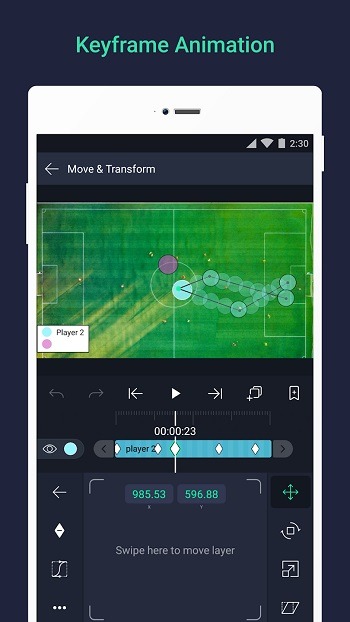
Creating fluid animations requires a deep level of control over every movement on the screen. This platform offers a comprehensive keyframe system that allows users to define specific points of action for any object or layer. You can adjust timing, curves, and easing to ensure that transitions look natural rather than robotic. By mastering these controls, creators can build complex sequences that rival those made on high-end PC software.
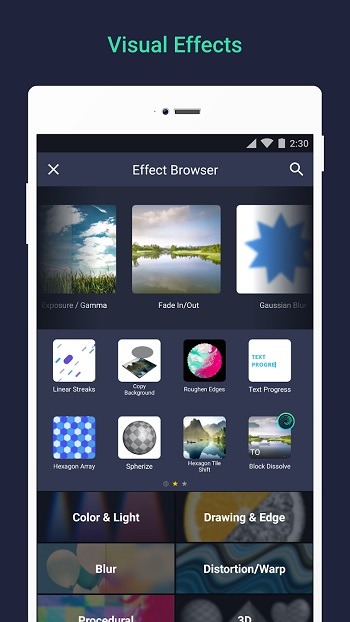
Advanced Visual Effects
Visual storytelling often requires more than just simple cuts and transitions between clips. This solution provides a massive library of over a hundred customizable effects, ranging from color correction and blurs to stylized distortions and shadows. Users can stack multiple layers of effects to achieve a unique aesthetic, giving every project a distinct personality. The ability to fine-tune every parameter ensures that your creative vision is never limited by pre-set filters.
Multi-Layered Editing Workspace
Managing complex projects is significantly easier when you have a structured environment to work in. This tool supports multiple layers of graphics, video, and audio, allowing for intricate compositions where elements can overlap and interact. You can group these layers together to apply collective changes or mask specific areas for advanced compositing. This hierarchical approach is essential for anyone serious about producing detailed and professional-looking video content.
Vector and Bitmap Support
Flexibility in asset management is a standout feature of Alight Motion, as it handles both vector and bitmap images with ease. You can import your own illustrations or use the built-in vector tools to draw shapes directly within the interface. Since vector graphics are resolution-independent, they remain crisp and sharp no matter how much you scale or animate them. This is particularly useful for designing logos or text elements that need to maintain high quality.
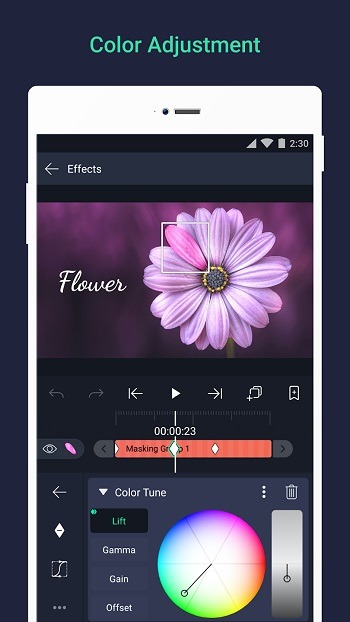
Precise Color Correction
Achieving the right mood for a video often depends on the color grading and lighting adjustments applied during post-production. This experience includes professional-grade color adjustment tools that let you manipulate hue, saturation, and brightness with extreme precision. You can also utilize gradient fills and blending modes to create atmospheric depth and professional-looking overlays. These features empower users to give their videos a polished, cinematic look that stands out in any feed.
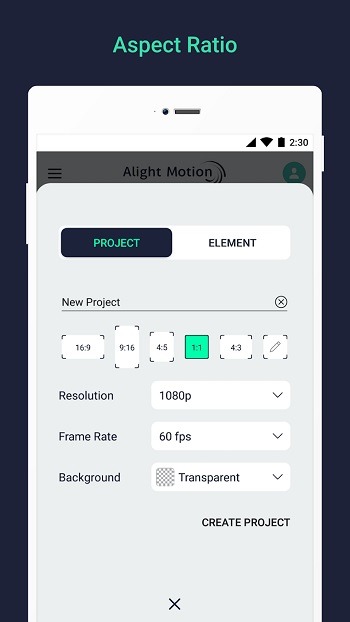
Flexible Export Options
Once the creative process is finished, sharing your work in the right format is crucial for reaching your audience effectively. The service allows for exporting projects as MP4 videos, animated GIFs, or even PNG sequences for further editing elsewhere. You can choose from various resolutions and frame rates to optimize the file size and quality for specific social media platforms. This ensures that your final output looks exactly as intended, whether it is viewed on a mobile screen or a monitor.
Highlights:
Watermark-free exports for professional results.
4K Ultra HD export support for the highest quality.
Smooth performance optimized for mobile devices.
Beginner-friendly interface with pro level depth.
Pros and Cons:
Pros
Simple interface
Supports up to 160+ special effects
Supports bitmap and vector designing
Multiple templates, drawing tools, shapes, and so on are available
Compatible with multiple Android devices
Supports multi-layer timeline
Cons
Keyframes can be frozen
Advanced functionality requires subscription plans
Supports only Android versions
FAQs:
What is Alight Motion APK used for?
Alight Motion APK is used for mobile video editing, motion graphics, animated text, visual effects, and layered content creation on Android devices.
What kind of app is Alight Motion APK?
It is a mobile video editing and motion design app. It focuses on animation tools, keyframe control, effects, and export options for creators who edit on phones or tablets.
Does Alight Motion APK support keyframe animation?
Yes. Keyframe animation is one of its main features, letting users control movement, scale, rotation, opacity, and other settings with better timing and smoother motion.
What are the main features in Alight Motion APK?
Its main features include multi-layer editing, visual effects, masking, motion blur, custom fonts, vector support, camera tools, easing curves, and export to MP4, GIF, PNG sequences, and still images.
Who should use Alight Motion APK?
It is a good fit for content creators, short video editors, fan edit makers, and beginners learning motion graphics who want stronger editing tools on Android.
Conclusion:
Alight Motion proves to be a versatile and valuable tool, offering much more than just video editing. It excels in animation and motion graphics, providing superb functionality at an impressive value. For those seeking the perfect musical accompaniment to their professionally edited footage, Alight Motion stands out as an ideal choice.