After Motion Z
Entertainment
2026-10-12
106.02MB
5.0.278
Android 5.0 and up
515
Screenshots
Introduction
After Motion Z is a video editing app designed specifically for Android devices. It offers a wide range of editing features, enabling users to create impressive videos right on their phones. The app supports multi-layer editing, allowing users to handle multiple video clips simultaneously; since each layer can be edited independently, users have greater control over the video's visual effects. It also provides a vast library of visual effects and filters that users can select and apply directly. Additionally, a real-time preview function allows users to instantly view the results of their edits, facilitating a smoother and more effective editing process.
Features:
Perfect Keyframe Animation
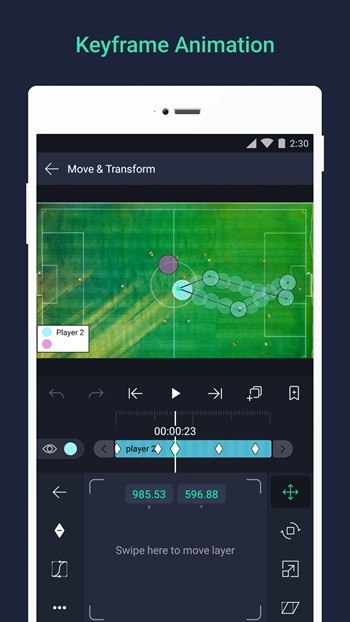
It is the keyframe animation that allows the video editor to control how an object moves and changes over time. This means you can adjust the size, position, rotation, and other relevant properties from one point in time to another. This process allows you to create smooth and dynamic animations. It is all simple. Set a starting point, induce a change, and the app fills in the animation between the two points.
Easy Multi-Layer Editing
The multi-layer editing means you can work with several video clips, audio files, and images in one go. Each layer can be trimmed, moved, and edited independently. Now, this property can be used to control the overall look of the video. Using this feature of After Motion Z latest version, you can add effects, overlays, and text elements separately.
Diverse Visual Effects and Filters
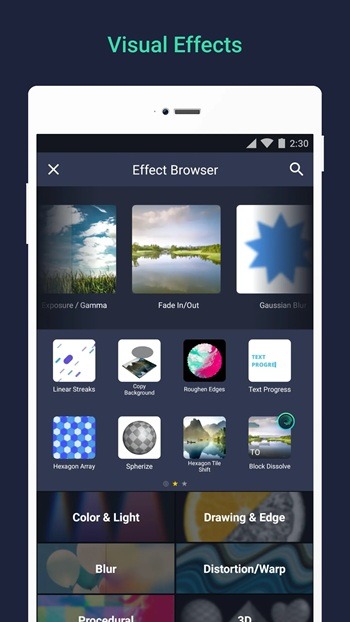
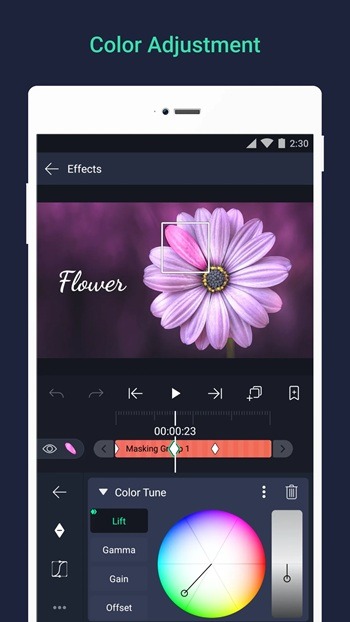
The choice of visual effects and filters is immense on this platform. Color grading, blur, glow, etc., are some of the prominent options. Now, enhance the visual qualities of your videos instantly. Using the built-in preview, you can make changes and witness them in real time. This allows you to fine-tune them before going for the final export.
Latest Audio Editing Tools
The basic audio tools are offered by all the major video editors on the Android platform. After Motion Z takes this further and gives you options like trimming, volume adjustment, and fade effects. Insert background music and sound effects directly into the work timeline. Sync audio with the visuals perfectly on the timeline and bring amazing videos to life.
User-Centric Interface
This application is built on the basic principle of easing the tedious and tricky tasks of editing long and short videos. As attention spans are shortening, we need to be innovative on a regular basis. If the interface of your tool is not easy, the efforts are going to be long and time-consuming. The interface here is clean and easy to understand. Organized menus, easy accessibility to tools, and regular tweaks make it easy for you to start your app usage without even any previous experience.
Highlights:
Keyframe Animation: This feature lets you create smooth and professional animations. It’s like making your own cartoon!
Multi-layer Editing: You can work on different parts of your video separately, making it easy to add effects and make changes.
Pro Effects: Choose from a variety of effects to make your videos look like they were made by a professional filmmaker.
User-Friendly Interface: The app is designed to be easy to use, even if you’ve never edited a video before.
Tips and Tricks:
Lower the preview resolution while editing, then switch to full quality only for export. It keeps the timeline responsive on mid-range phones.
Save a project after every major change. Motion editors can eat an afternoon of work if the app is killed in the background.
Reuse keyframe presets instead of rebuilding animations each time. It cuts an hour of repetitive work down to minutes.
Export to 1080p first to check timing, then re-export at 4K once the edit is locked.
Keep only the current project's media on internal storage. Cloud-sync older clips so storage never chokes mid-render.
One practical habit: name your layers as you add them. Ten unnamed tracks turn a simple edit into a scavenger hunt.
FAQs:
What is After Motion Z APK?
After Motion Z APK is an Android video editing app made for creating motion-based edits, layered projects, and effects-driven videos on a phone.
What is After Motion Z used for?
It is used for editing videos, adding motion effects, working with multiple layers, syncing audio, and creating short animated content for social platforms.
Which features stand out in After Motion Z?
The main highlights are keyframe animation, multi-layer editing, visual effects, fast export, and smoother performance on many Android devices.
Who should use After Motion Z?
It fits mobile creators, short-form video editors, fan edit makers, and users who want more editing control without switching to desktop software.
Conclusion:
After Motion Z APK is a fantastic app for anyone who loves making videos. With its powerful features and easy-to-use interface, you can create professional-looking videos right from your Android device. Whether you’re making videos for fun or for a project, After Motion Z APK has everything you need to bring your ideas to life. So why wait? Download After Motion Z APK today and start creating your own video masterpieces!