Minecraft Java Edition - PojavLauncher
Simulation
2026-10-21
132.32MB
gladiolus-202501
Android 8.0 and up
211
Screenshots
Introduction
PojavLauncher is an open-source game launcher for Minecraft: Java Edition. Featuring a user-friendly interface, it allows players to get started quickly. It enables seamless connection between a player's account and various servers, where they can explore a wide range of gameplay experiences. The launcher also offers robust customization options, allowing users to configure settings—such as custom game profiles and frame rate adjustments—to optimize their gaming experience. Furthermore, it supports Bluetooth connectivity and pairing to enhance performance, while providing extensive compatibility for game mods and different versions of Minecraft.
Features:
Running Java Versions
This is particularly useful when a specific version is required for a world, server, or set of mods. You can keep multiple versions installed without needing to reinstall them each time.
Using Mods and Visual Packs
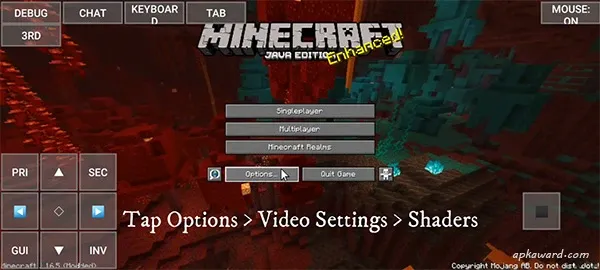
You can install mod loaders such as Forge, Fabric, or Quilt to use compatible mods. The launcher also supports the use of shaders and resource packs. Before launching, ensure that the selected Minecraft version, mod loader, and the versions of your individual mods are all compatible with one another.
Saving Settings in Separate Profiles
You can create distinct profiles for different game versions and mod collections. For example, you might maintain a stable survival world in one profile, while using another to test snapshot versions or new mods. This separation helps prevent file conflicts between different configurations.
Choosing Your Control Method
You can customize the on-screen touch controls to suit your personal playstyle. The launcher also supports Bluetooth or USB controllers, as well as keyboards and mice. This allows players to use touch controls when on the go, or connect external input devices whenever the situation permits.
Game Worlds and Java Servers
You can launch single-player worlds or connect to multiplayer Java servers directly through the launcher. Use your account to access supported online services. Please note that access to any given server remains subject to that server’s specific version, rules, account requirements, and network connectivity.
Highlights:
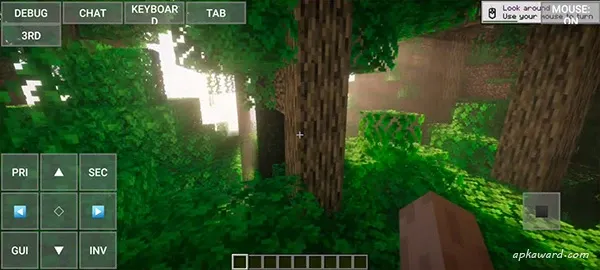
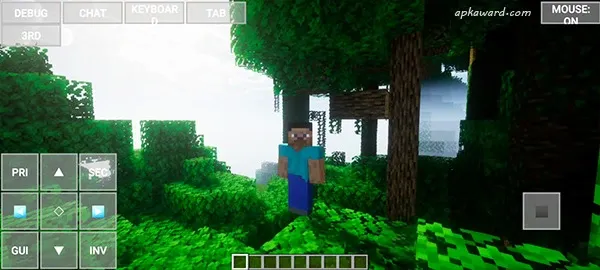
Play Minecraft: Java Edition on your mobile device.
Supports both single-player and multiplayer modes.
Includes mod installation, with automatic downloading and setup.
Supports resource packs, shaders, and maps.
Integrates OptiFine, Sodium, and Iris technologies.
Supports game controllers.
Allows for custom JVM arguments to optimize performance and reduce latency.
Log in using your Microsoft account, or play in offline mode—no internet connection required.
FAQS:
Minecraft Java Edition - Is PojavLauncher compatible with Forge and Fabric?
Yes, it is—provided the specific version is supported.
Do I need a Microsoft account?
Minecraft Java Edition - PojavLauncher supports online features. Offline single-player options depend on the version and launcher settings—please refer to the in-app prompts.
Where else can I get help?
Please check the FAQ and the blog guides.
Advantages and disadvantages:
Pros
Can run older versions of Minecraft
Compatible with Microsoft accounts
Can store more than one account
Allows mods
Cons
Sometimes stops your game abruptly
Conclusion:
Download PojavLauncher for Minecraft: Java Edition to enjoy your favorite version of Minecraft on your Android device, anytime and anywhere. This essential app for the classic game is packed with features, yet remains incredibly simple to set up and use. Once installed, you can jump straight into the action—mining for diamonds and dodging Creepers in no time.
-
Latest Updates
-
Featured Games