Ludo King
Card
2026-09-08
257.33MB
10.6.0.413
Android
271
Screenshots


Introduction
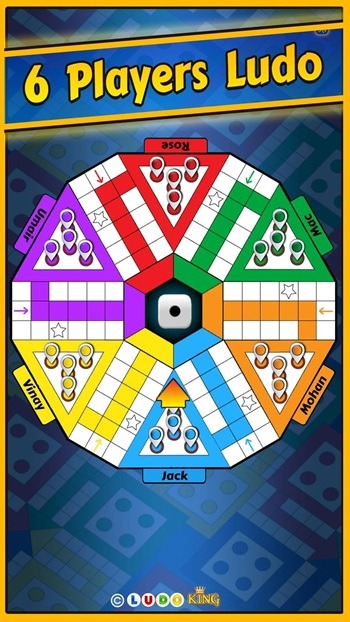
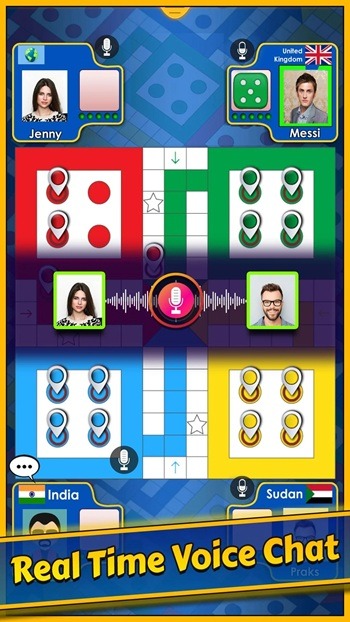
Ludo King is a classic digital board game based on the classic Ludo game. Players simply need to give their friends a room code to start playing together. The private room function allows players to control the number of players joining. Players can also be matched with players worldwide, even without an internet connection. The game includes built-in text and voice chat functions for strategic planning and casual conversation with other players. It features 8-player tournaments and Snakes & Ladder modes, providing players with a more organized gaming experience.
Features
Play with friends across devices
Ludo King lets friends join the same table using a simple room code. Players on Android, iOS, desktop, or a browser can sit together, so mixed devices are not a barrier. Private rooms help you control who enters, which suits family groups and small friend circles.
Online, local, and offline options
You can match globally, play on one phone by taking turns, or face the computer without internet. This ludo game supports two to six players, so you can pick the table size that fits your time. Flexibility makes it easy to start a round at home, on a commute, or while traveling.
Voice, text, and clubs for easy social play
In game text and voice chat keep talk inside the table, so planning and small talk remain simple. You can challenge Facebook friends directly when you want a known opponent. Adda club lounges provide a place to hang out between games and stay connected with groups.
Tournaments and quick rounds
When you want structure, Ludo King includes eight player tournaments and a quick mode that shortens matches. Monthly seasons and daily goals offer steady progress markers without long sessions. This keeps play manageable if your schedule changes during the week.
Snakes & Ladders and visual themes
A complete Snakes & Ladders mode is built in, so you do not need another app for that classic variant. You can switch between themes such as Disco, Nature, Egypt, Candy, Pirate, and Diwali to refresh the board. Games can be saved and resumed, which helps when you need to pause. Performance is tuned for lower end devices to reduce slowdowns.
Gameplay
First, open Ludo King and complete any prompts, such as language selection or microphone access if you plan to use voice chat.
Next, choose a mode on the home screen. Pick Ludo or Snakes & Ladders, then select online play, local pass and play, or versus computer.
Then, to play with friends, tap create room or join room. Share or enter the code, set the number of players, and confirm the table.
After that, for short sessions, select quick mode or use matchmaking for a fast start. Confirm your color and seat when asked.
Finally, before the first roll, adjust options. Change the theme if you like, open chat to talk, and use save when you need to pause and resume later.
FAQs
What can players do in Ludo King APK?
Players can play Ludo with friends, family, online opponents, or computer rivals. They can also try Snakes and Ladders, use themes, chat tools, and offline mode.
Does Ludo King APK work offline?
Yes, offline play is one of its useful options. Players can play against the computer or use local multiplayer without needing a constant internet connection.
Who should play Ludo King APK?
It suits casual players, families, students, and board game fans who want quick matches, simple rules, and flexible play on mobile devices.
Conclusion
Ludo King APK is suitable for casual players, families, students, and anyone who likes classic board games with quick mobile access. It is most useful during free time, travel, small gatherings, or relaxed evenings with friends. It gives players a familiar game format with extra flexibility, while still keeping the simple fun of rolling dice and teasing someone after sending their token back home.