
Download FAQs

1.What is an APK file?

An APK (Android Package Kit) is the standard file format used to install Android apps. Simply download the APK, allow installation from unknown sources if required, and follow the on-screen instructions to complete the installation.

2.Why can't I install the APK?

Make sure your device has enough storage space, supports the required Android version, and allows installations from unknown sources. If the problem continues, try downloading the file again or restarting your device.

3. How do I fix the "App not installed" error?

This error may occur if another version of the app is already installed, the package signature is different, or your device doesn't meet the requirements. Try uninstalling the existing version, checking your available storage, and installing the APK again.

4. Is it safe to install APK files?

APK files can be safe to install when downloaded from trusted sources. Before installation, check the app version, Android requirements, and requested permissions. Keeping your device updated also helps improve security.

5. How do I update an app without losing my data?

In most cases, you can install a newer version over the existing one without losing your data, as long as both versions use the same package name and signing certificate. Creating a backup before updating is recommended.

6. The download link isn't working

If you find a broken or unavailable download link, please contact us by email. We'll verify the issue and update the link as soon as possible.
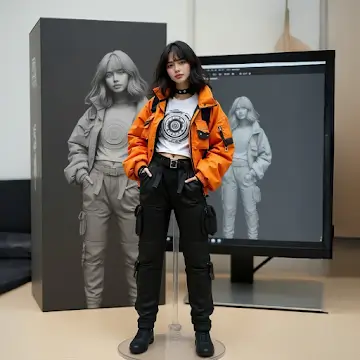

Screenshots

Introduction

ToonMe is an Android photo editor that helps users transform selfies and portraits into cartoon-style images. Utilizing the latest AI technology, this app allows users to easily change images to a cartoon style with a single click. It also provides users with numerous beautiful backgrounds and photo effects, allowing them to create unique artistic photos tailored to their needs. The app further offers features such as adding animations and text to photos, making them even more outstanding. After completing their creations, users can easily share them to major social media platforms.

Features:

Wonderful Profile Picture Maker

ToonMe is the coolest app to create and edit pictures for your social networks. Making an awesome profile pic has never been any easier - all you have to do is just take a photo, choose from hundreds of art filters, and let the portrait AI do all the work for you! And if that’s not enough, you can always toon up your already breathtaking pic with awesome tools like adding animation, custom texts and mind-blowing filters for pictures.

Stunning Backgrounds & Photo Effects

Have you ever dreamed of having your own portrait painted by a professional artist? With this app you can have your own photo art customized with all sorts of photo editor effects. Say you have a nice photo, but you don’t like the background? ToonMe got you covered! This astonishing picture editor can change the background of your photos while keeping the high quality on top of adding some more filters for pictures and lens effects to make your pictures look like real photo art.

Cartoon Photo Editor to Unleash Your Imagination

Along with many other things, ToonMe is a picture editor with a lot of awesome visual effects and tools to edit and toon your photos. While using numerous styles and beauty filters, you get to decide which parts of your photos will be affected by the filters you chose, which makes this picture editor extremely customizable. This easy-to-use avatar maker will make you feel like a true artist - you can do anything with your photos, from removing a background to adding one of your own to make a beautiful and original photo.

Choose and Go

Keep all the things you need at your fingertips - you have instant access to all the latest trends, best oil painting filters, the coolest styles and lens effects. All you gotta do is just select, apply and if you want to, share your cartoon photo of your friends with just one tap on your screen!

ToonMe

Highlights:

Create cartoon avatars of yourself with the Toonme Mod Android app.

Change the colours and shape of your avatar using the in-app options available.

Add accessories to make it look even more unique, such as hats or glasses.

Adjust facial features like eyes, nose, mouth etc., for a personalized touch.

Share your creations on social media platforms directly from within the app itself.

Save images locally or upload them online to share with friends & family members easily.

ToonMe

Pros and Cons:

Pros

Wide range of cartoon effects and styles

Quick and accurate AI-based transformations

Intuitive and minimal interface

Easy sharing to social media

Cons

Limited manual editing options

Some styles and features require a premium upgrade

Does not include built-in photo gallery or project management

ToonMe

FAQs:

What is ToonMe?

ToonMe is a mobile photo editing app that turns selfies and portraits into cartoon-style artwork using advanced AI.

Is ToonMe free to use?

Yes, ToonMe offers a free version, but some filters and effects require in-app purchases or a Pro subscription for full access.

Can ToonMe work with group photos?

Yep! You can edit group shots, and even create cartoon versions of everyone in the picture using styles that match the whole crew’s vibe.

Do I need editing skills to use ToonMe?

Not at all. ToonMe is super beginner-friendly — just upload your photo, pick a style, and it does the rest in seconds.

What devices support ToonMe?

ToonMe works on both Android and iOS devices, and is compatible with most smartphones running Android 5.1+ or iOS 11+.

ToonMe

Conclusion:

ToonMe is for anyone who is looking for a cartoon photo editor. It has a substantial selection of filters, an easy-to-navigate user interface, and it’s free to use. With its abilities, it’s actually surprising to see that it’s completely ad-free. You can join in the current ToonMe trend by using this app, and let your friends know what you would look like in watercolor, Pixar, or Disney art!








