Win 11 Launcher
Personalization
2026-08-05
26.56MB
9.53
Android
373
Screenshots
Introduction
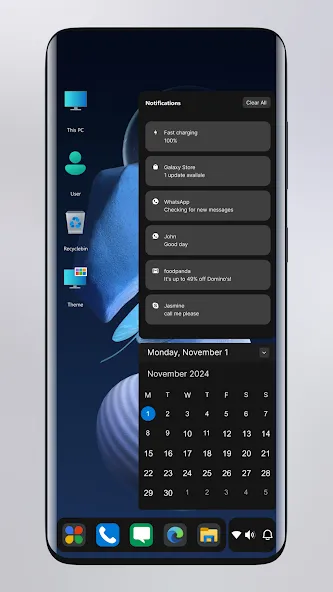
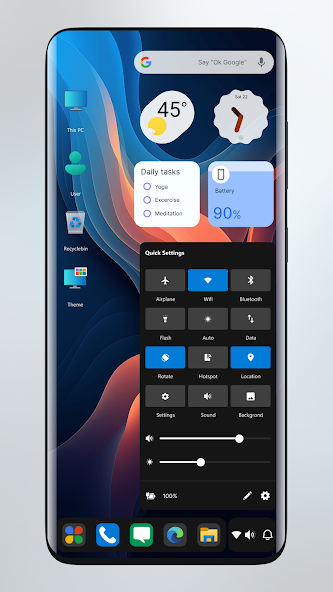
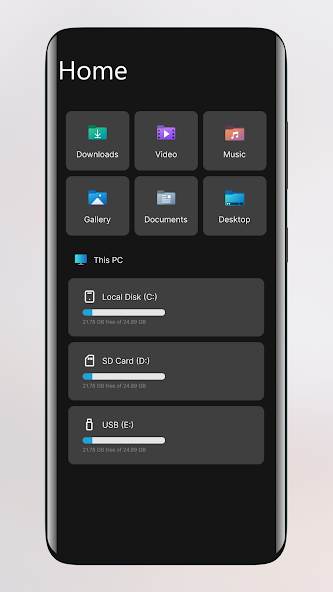
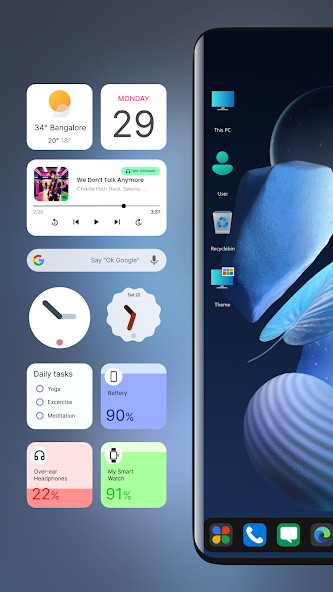
Win 11 Launcher is a system software that brings the Windows 11 experience to your Android device. It simulates a Windows 11 desktop system on your phone, allowing you to familiarize yourself with the Windows 11 operating system, keyboard shortcuts, and special operations. Users can manage files and folders on their phones, create folder shortcuts, and enjoy compression support. In the future, phones will function like computers, making it easier for users to get started with their own computers after purchase. You can also customize the panel style of your phone's Windows 11 system, setting it to your preferred look.
Features
Simulate the Start Menu on your PC.
Experience the clean and smooth tile-based interface of Windows 11.
Easily create shortcuts on your desktop.
Manage your contacts directly on your PC.
Conveniently place applications on your desktop for quick access.
Organize easily with intuitive drag-and-drop items.
Quickly access your most frequently used apps with a dedicated list.
Explore 18 app categories with a vast selection of over 2 million apps.
Quickly search and access your apps.
Get detailed information about your drives, SD cards, storage, and media files through a PC-like interface.
Replicate your PC launcher taskbar for a realistic experience.
Stay up-to-date with notifications and counters.
Customize your desktop with resizable widgets and a new homepage.
Seamlessly drag and drop elements for effortless operation.
Track time with the clock widget on your desktop and taskbar.
Stay up-to-date with the weather and news widgets.
Keep your desktop tidy by renaming folders.
Enhance your visual experience with dynamic premium wallpapers and themes.
Access weather, calendar, and photos with dedicated tiles.
Enjoy endless theme possibilities.
Protect your device with lock screen and hidden app features.
Customize your desktop, start menu, and taskbar color schemes.
Explore various themes and icon packs.
Easily manage applications in the taskbar with drag and drop.
Access internal and external storage (including SD cards and USB drives) via file manager.
Easily view your photos with the photo viewer.
Organize your applications in your desktop folders by contacting support.
Make your desktop more vibrant with feature-rich widgets.
Protect your privacy with app lock.
Protect your launcher with lock screen.
Enjoy a rich selection of built-in wallpapers.
Explore a vast collection of over 5000 themes.
Highlights
Comprehensive File Operations: Users can cut, copy, paste and rename files easily. It can help users manage documents and data effectively, create a easy and fast workflow.
Advanced Compression Tools: The app offers powerful file compression and decompression tools. Users can compress multiple files into a single file with ease to save storage space or decompress compressed files in one tap, enhancing the working efficiency.
Efficient Organization System: The efficient file organization system enables users to create customized folders and shortcuts, which could help users conveniently organize and search files, thus enabling them to keep everything in good order and reducing the time required to locate needed information.
Personalized Color Schemes: Users can personalize the theme color as per their individual preference. This allows users to be able to create interface of their own that suits their style and hence makes user experience pleasing.
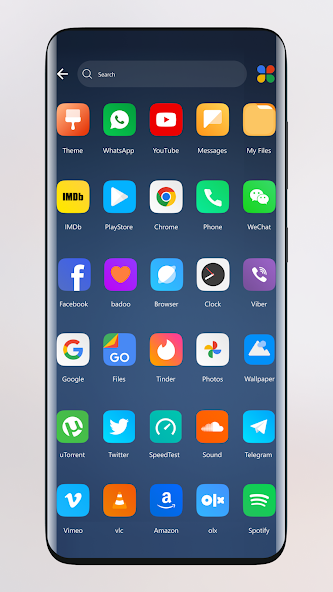
Stylish App Display: The application displays Android applications in modern and eye catching design tiles. This user friendly interface makes home screen live and helps users to get their access favourite applications more easily.
Windows-like User Experience: Similar to Windows phone user experience, it helps Android users get used to the application quickly and interact with it easily, making them more comfortable and efficient in daily work.
Advantages and disadvantages
Pros
Convincing Windows 11 and Windows 10 inspired layout with tile-based apps
Customizable theme colors plus included wallpapers that match the desktop-style look
Integrated file manager with basic operations, folder creation, shortcuts, and zip support
Helps tablets with keyboard and mouse feel closer to a portable computer
Reportedly smooth performance even on phones that are not high-end
Cons
Strong Windows focus may not suit users who prefer the standard Android interface
Provides a Windows-style environment but does not turn Android into a full desktop system
Presence of a paid full version may discourage those who want everything completely free
Summarize
user interface that enhances your mobile experience. Embrace a new level of customization with this exceptional launcher, designed to deliver a fast, clean, and energy-efficient overhaul to your phone's look and functionality. Impress your peers with a fresh, modern aesthetic, and enjoy the convenience of having your favorite apps just a single click away.The app includes an integrated file manager enabling efficient management of files through standard operations like cut, copy, paste, and rename, as well as compressing and decompressing ZIP files. Discover the practicality of viewing file properties at a glance, creating new folders, and setting up shortcuts for quick access.
-
Latest Updates
-
Featured Apps