Video Downloader for Instagram
Social
2026-10-24
24.29MB
110.0
Android 5.0 and up
509
Screenshots
Introduction
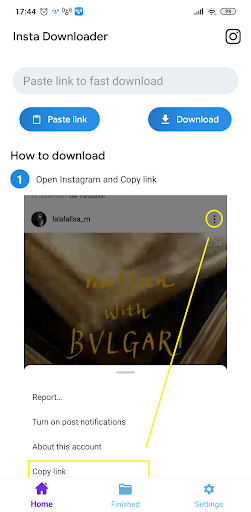
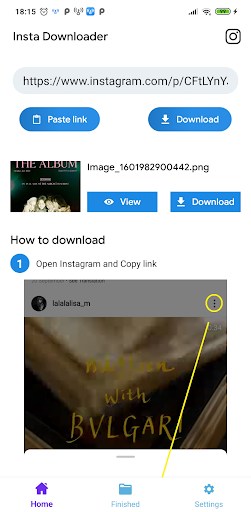
Video Downloader for Instagram is a tool designed specifically for Instagram users, allowing them to easily download a wide variety of videos and photos from the platform, supporting all common media formats. The app enables downloads via links—simply copy a link into the application, and it will automatically detect the content and begin the download. Users can also perform batch operations, downloading multiple videos simultaneously, which significantly enhances efficiency.
Features:
Stories, reels, and IGTV support
Video Downloader for Instagram handles common IG formats. You can save stories to preserve highlights, grab reels for short clips, and download videos from the feed or IGTV. This keeps different types of media in one place without extra tools.
Copy link or share to download
Copy the link of the video, photo, story, reel, or highlight in IG.
Open Video Downloader for Instagram and the app detects the link to download automatically.
Alternatively, tap Share in IG and choose Video Downloader for Instagram to start the download.
Batch saving from a profile
Tap the profile picture and copy the profile link in IG.
Video Downloader for Instagram queues stories and videos from that profile and downloads them in batch.
If you need multiple items, batch mode helps collect content faster than saving one by one.
Save locally and view offline
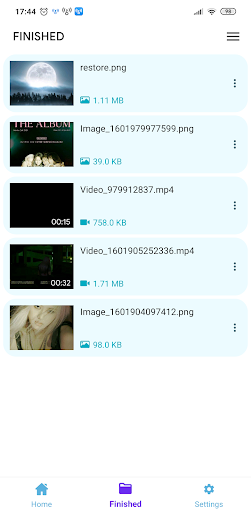
Downloads are saved to the device gallery. You can watch content offline, share with friends, or re-post with proper attribution when allowed.
Function:
Download & save Instagram, Instagram lite & IGTV video & photos.
Save & highlight Instagram story with our Instagram story downloader.
Download Instagram reel (short video Instagram).
Download video & image from private account.
Re-post & share downloaded files easily.
View insta videos downloaded offline anytime.
Download videos from Instagram in batch.
Highlights:
No login, leave no trace
You don't need an Instagram account in order to use Video Downloader for Instagram and no personal information is required, nothing like that. If you prefer, you can log in to Instagram from the integrated browser tab as a more convenient way of downloading reels and stories, but this is completely optional. As mentioned above, there are several different possible download methods.
Two ways to download from Instagram
Video Downloader for Instagram presents two ways to download content from Instagram. Either you can copy the link of any post directly from Instagram and paste it in the download box inside the app, and nothing more. Or, on the other hand, from the Instagram app itself you can hit the share button and look for the Video Downloader for Instagram icon. Pressing the icon will automatically open the app and start the download.
Generate viral quotes from the app
Video Downloader for Instagram also has a feature that allows you to generate viral quotes on any topic at the touch of a button. Doing so is very simple; just choose a category: motivation, adventure, sadness, love, self-care, etc., and within each category you can find several poignant phrases to use in any post or story.
Pros and Cons:
Pros
Saves photos, stories, highlights, reels, and IGTV
Quick share-menu and copied-link workflows
Stores media directly in the device gallery
Cons
Some posts and videos fail to download
Network errors may prevent use entirely
Includes ads
Conclusion:
In conclusion, if you are someone who loves browsing through Instagram and wants to keep your favorite videos saved on your device without having to rely on internet connectivity all the time, then Video Downloader for Instagram is an excellent choice. Its simple interface and multiple resolution options make it a popular choice among many users today.
-
Latest Updates
-
Featured Apps