Super Nice Launcher
Personalization
2026-08-06
17.03MB
5.8
Android
131
Screenshots
Introduction
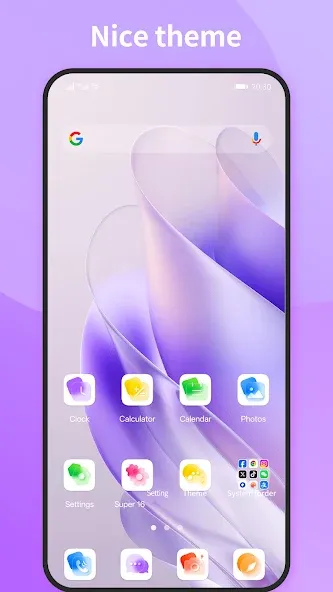
Super Nice Launcher is a desktop customization tool for Android devices. It offers numerous themes and a vast library of wallpapers, supporting almost all icon packs from the Google Play Store. The icons are categorized by function for easy browsing and quick access to your preferred style. Users can also customize their phone's interface, making its layout more logical and aesthetically pleasing. This application boasts a clean and efficient design, a small file size, minimal battery consumption, and long-lasting performance.
Features:
Super Nice Launcher has many themes: there are 300+ cool themes in our theme store
Super Nice Launcher support icon pack: support almost all the icon packs in Google Play Store
Super Nice Launcher has many wallpaper: there is online wallpaper store
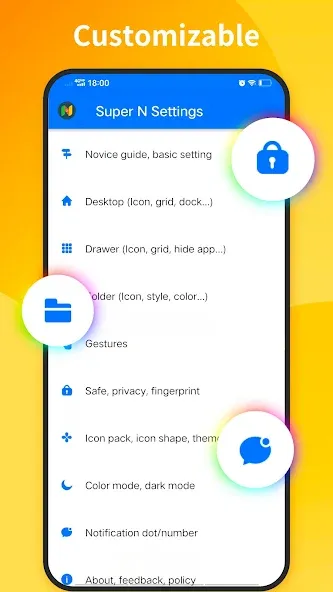
Super Nice Launcher is very customizable, you can config icon size, grid size, color, shape, background, etc
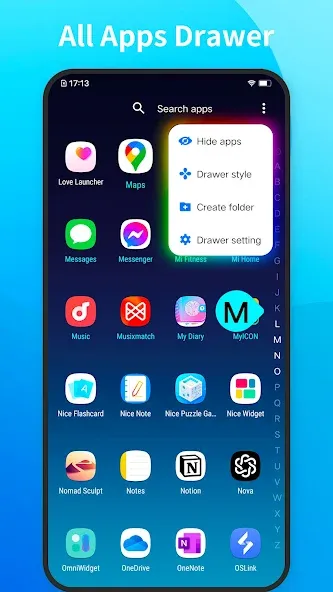
Apps drawer has a-z quick finding bar, support swipe to open/close, very easy to find apps
Notification badge support red dot or number indicator
Hide apps can hide unused or private apps
Super Nice Launcher support change icon shape to square, circle , squircle, rounded square, teardrop
Super Nice Launcher support dark/night mode and color mode(white color, black color, auto color according to wallpaper, or custom color), different from other launchers
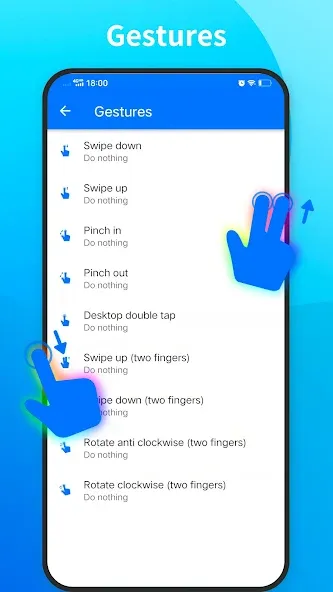
Super Nice Launcher support gesture: swipe up/down, pinch in/out, double tap, two fingers gesture
You can config folder window style, folder preview icon appearance, folder apps' layout
Search bar support config style, search provider, placement
Support swipe up or click all apps icon on dock bar to access all apps drawer
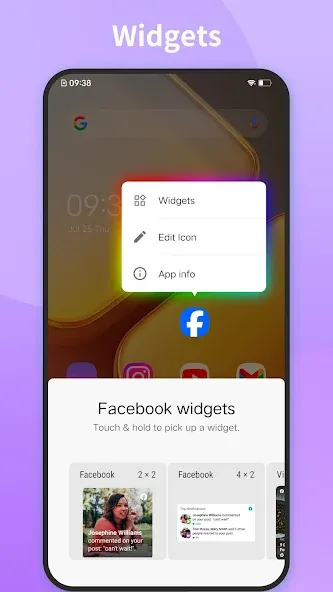
Widgets list classified by apps
Long press on icon you get context menu
Super Nice Launcher has many desktop transition effect
Super Nice Launcher support edit individual app icon or text
Highlights:
Highly Configurable Launcher: The application has a launcher with extremely high configuration. With this configuration, you can quickly use the application without having to use any supporting devices. Giving you extremely attractive and interesting user experiences.
Changeable Icon Shapes: You can also change the shape of the icon. The diverse and rich shapes will give you the most diverse and attractive options. Bring you attractive and attractive interfaces.
Advanced Folder Options: Coming to this application, you will also be able to manage the applications in your device more effectively and better. Because you can create different folder lists and classify applications into groups, it brings you the neatest and most organized phone.
Hundreds of Themes: Coming to this application, you will have hundreds of icons with unique and rich themes. Bringing you the best quality options so you can own the most beautiful and perfect interface. Make you fascinated every time you use it.
Supports All Iconpacks: The application will support all icon packs, from popular applications to less-used applications. Bringing you a perfect and extremely professional interface without any errors.
Tips and Tricks:
Super Nice Launcher APK is built on an intuitive framework that makes customization accessible to everyone. The user-friendly drag-and-drop interface allows for effortless layout changes, while the deep settings menu provides granular control for power users. You can set up custom gestures, such as swiping up to open your app drawer or double-tapping to lock your screen, streamlining your daily interactions. The application also includes a dedicated 'Special Wallpapers' section curated by our designers, ensuring that your background always matches your icon shapes and theme colors perfectly, creating a harmonious visual flow across all your screens.
Furthermore, the launcher's advanced search functionality allows you to locate apps, contacts, and settings instantly. By integrating highly configurable tools directly into the home screen, Super Nice Launcher APK eliminates the need for secondary optimization apps, giving you a streamlined, all-in-one solution for your mobile device management.
FAQs:
Is it free?
The base launcher is free; theme or premium features may be offered via in-app purchases depending on the store release.
Can I use my existing icon packs and widgets?
Yes, the launcher supports most icon packs from Google Play and provides a classified widgets list for easy access.
Does it affect battery life a lot?
It is designed to be compact and efficient; everyday use should not cause significant extra battery drain compared with many heavy launchers.
How do I hide apps or enable notification badges?
Use the launcher's settings to enable "Hide apps" for privacy and toggle notification badge style (dot or number) in the notification settings.
Can I change icon shapes and grid size?
Yes, you can change icon masks (square, circle, squircle, etc.) and adjust grid and icon sizes in the customization settings.
Conclusion:
Super Nice Launcher delivers everything a modern Android user could want from a home screen replacement. It combines beautiful design, deep customization, smart navigation tools, and performance-friendly engineering into one polished, easy-to-use app. You do not have to choose between style and function — Super Nice Launcher gives you both. Download Super Nice Launcher today and discover why it earns its name. Your ideal home screen is just one tap away.
-
Latest Updates
-
Featured Apps