
SleepTimer
Lifestyle
2026-11-11
14.85MB
4.1
Android
369
Screenshots
Introduction
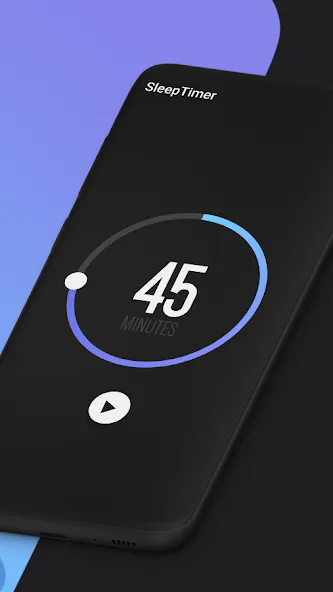
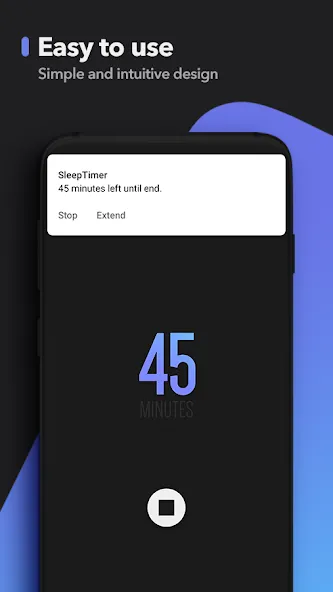
SleepTimer is an application designed specifically to help users with their sleep. It allows for custom countdown timers, which can be displayed in the notification bar. Within the app, users can set timers for specific durations. It also offers a screen-locking feature—simulating a press of the power button—while still supporting biometric unlocking. Users can personalize the app’s theme to their preference. The software can play sleep-inducing music on a timer and automatically stop audio or video playback once the user has fallen asleep. Use this app to create an ideal sleep environment and maintain a consistent daily routine.
Features
Simple countdown timer with +/- step buttons and cancel directly from the notification (step is configurable, defaults to 5 minutes)
Shows the exact wall-clock time at which the timer will end
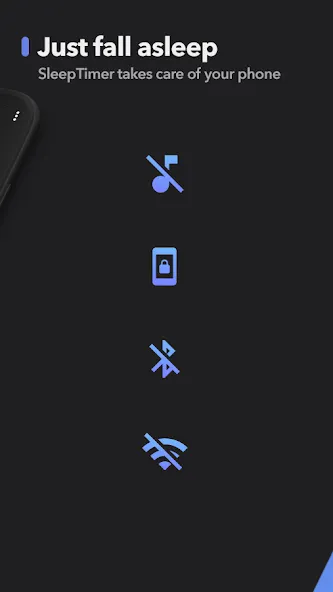
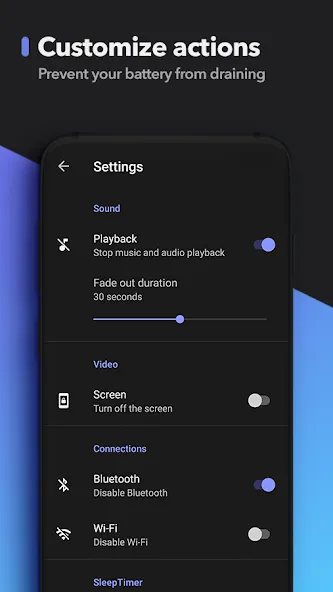
Stops audio and video playback across apps at the end of the timer
Configurable fade-out duration before playback stops
Optional screen lock when the timer ends — choose between Device Admin (standard Android lock, credential required to unlock) or Shizuku soft lock (simulates the power button, biometric unlock keeps working)
Optional Wi-Fi and Bluetooth off when the timer ends (both via Shizuku, since modern Android blocks apps from toggling these directly)
Six built-in themes (Midnight, Ocean, Ember, Light, Basic, AMOLED) with an optional drifting starfield behind the dial
Haptic feedback for timer controls (can be disabled)
Foreground service keeps the timer reliable even when the app is in the background
Update Log
Fast and smart way to set timers to turn off audio and video while you nap.
Fall asleep to beautiful music and never worry about waking up to a dead battery again!
We're always releasing new updates to add new features and make the app faster and more reliable.
Tips
Keep a consistent schedule: Go to bed and wake up at the same time every single day, even on weekends, to stabilize your circadian rhythm.
Optimize your bedroom: Keep your room cool, dark, and quiet (around 65–67°F or 18–20°C), using tools like white noise or blackout curtains if needed.
Watch your timing on stimulants and screens: Cut off caffeine 6 to 10 hours before bed, avoid heavy meals or alcohol late in the evening, and try to power down screens 30 to 60 minutes prior to sleep.
Summarize
SleepTimer is a versatile Android app designed to enhance your listening experience by allowing you to fall asleep to your favorite music without worry. Whether you're using Spotify, YouTube, or any other music player, you can start the music and set a countdown timer. Once the timer expires, SleepTimer gradually fades out the music to let you drift into sleep peacefully, thereby preventing any unnecessary battery drainage.