MACRO MSI
Lifestyle
2026-09-24
13.47MB
6.0.0
Android 5.0+
385
Screenshots
Introduction
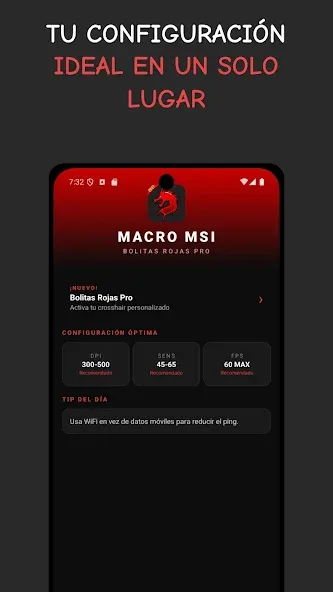
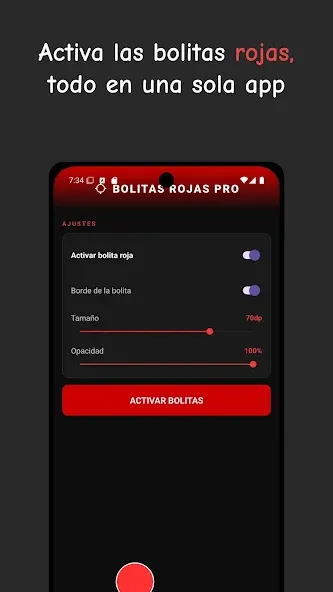
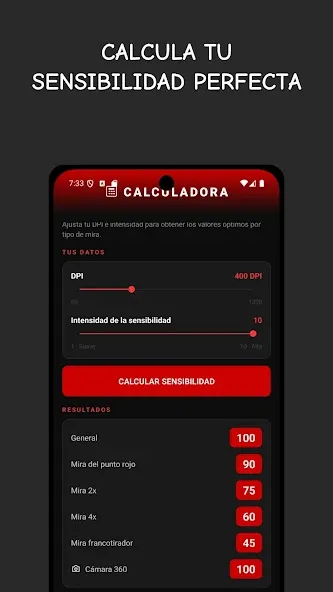
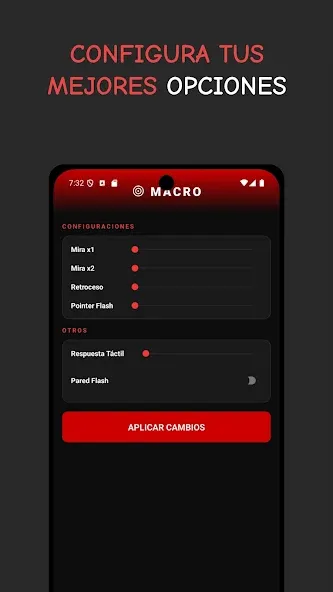
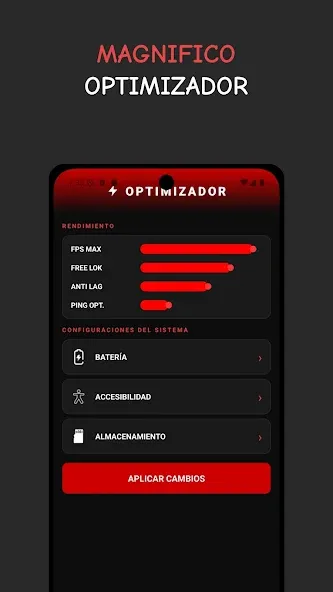
MACRO MSI is a gaming utility app designed specifically for Android users. It features a clean, intuitive interface that makes it easy for users to get started. The app helps reduce in-game latency and improves fluidity by minimizing unnecessary background activity. It offers robust customization options, allowing players to fine-tune sensitivity, aiming mechanics, and various other parameters. Lightweight and quick to install, the app also enhances visual quality—including pixel adjustments—and allows for custom control mapping to ensure a more comfortable and responsive gaming experience. It is a comprehensive tool suitable for a wide range of Android versions.
Features:
Processor Limitations
CPUs and GPUs handle everything from graphics rendering to user input. When they reach their performance limits, the system struggles to keep up with real-time actions.
Default Sensitivity Settings
Most games come with standard sensitivity presets. While designed to work across a wide range of devices, these settings are rarely optimized for your specific phone.
Background Activity Interference
Apps running in the background continue to consume system resources even when not actively in use. Notifications, synchronization services, and hidden processes can all impact system performance.
Touch Calibration Issues
Your screen may not be calibrated for rapid, accurate input. This means your swipes and taps might not be registered correctly.
Stand Out from the Crowd
Lightweight design compatible with most devices; sensitivity adjustments that exceed standard in-game limits; built-in performance optimization tools; real-time configuration adjustments.
Highlights:
Frame rate control (FPS) to help maintain steady visual performance
Ping Stabilizer to reduce jitter in online matches
Processor Anti-Lag to minimize CPU-related slowdowns
RAM allocation controls (from 1 GB up to a 4 GB cap)
Real-time sensitivity adjustments you can change while a game is running
Dead-pixel mitigation / in-app display fixes
Option to dedicate device memory specifically for gaming
FAQs:
What is MACRO MSI?
It is an Android utility app that allows users to adjust screen sensitivity, DPI, and display settings for better control and performance.
Is MACRO MSI safe to use on Android devices?
It is generally safe, but it may require advanced permissions, so users should review access requests carefully before installing.
Can MACRO MSI improve gaming performance?
Yes, adjusting sensitivity and touch response can help improve accuracy and reaction time in games that require precision.
Does MACRO MSI work on all Android phones?
It supports many Android devices, but performance and compatibility can vary depending on hardware and system version.
Advantages and disadvantages:
Pros
Flexible sensitivity adjustment features
FPS capping option
Lets you modify RAM allocation
Cons
Only comes in Spanish
Conclusion:
MACRO MSI offers a superior control experience for competitive gamers. It is particularly useful in fast-paced games, where quick reactions and precise aiming often prove decisive. Designed as a universal accelerator for high-end devices, it features fine-tuned sensitivity control and supports a Spanish interface—so active mobile gamers should download it today.