CBT Exam Browser
Education
2026-11-03
31.18MB
8.6
Android
467
Screenshots
Introduction
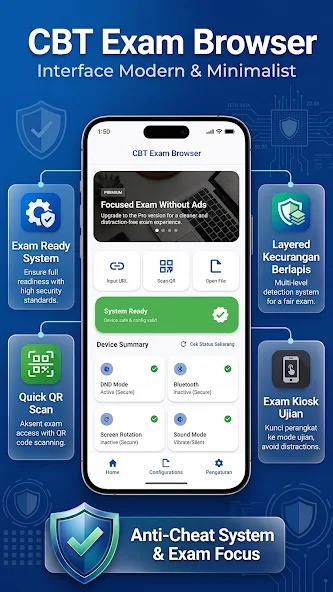
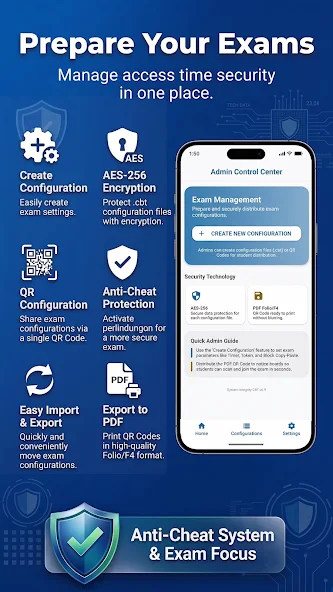
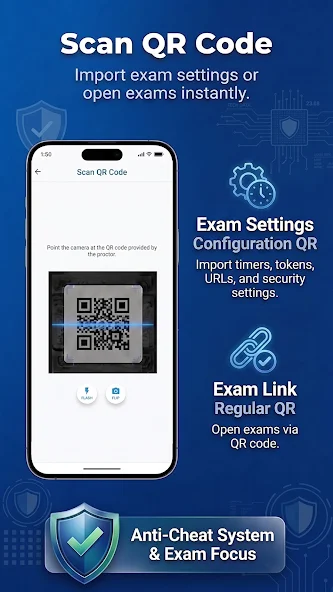
CBT Exam Browser is an exam-focused web browser designed for Android devices. It allows for specialized configuration of the testing environment—such as disabling screenshots—to ensure the privacy and integrity of the exam. The app supports quick server address entry and QR code-based connectivity, while also offering features to keep student identities hidden. It includes options for custom user agents and provides various assistive tools for students. With its simple, user-friendly interface, students can get started immediately by simply scanning a QR code to access their exam.
Features
Locked testing environment
CBT Exam Browser limits access during exams. Students cannot open other apps. Dual screen and floating apps are disabled. Screenshots are also disabled to keep the test view private. This setup helps keep attention on the exam page.
Fast access to your test server
You can enter a server URL or scan a QR code to connect. After you connect, the server address is hidden from the student view. This helps reduce accidental sharing and keeps attention on the test content. These steps support quick preparation in classrooms and labs.
Custom user agent option
Enable the custom user agent in the app menu when required.
Set the server to accept only the user agent "cbt-exam-browser".
Use this setting to limit exam entry to this browser.
On screen tools for students
Students can zoom in or out for readability. A time indicator appears at the top right to track progress. Navigation uses simple on screen controls, and exit is available through a dedicated exit button. These tools assist students without leaving the test.
How to Use
Scan a QR code for quick access to an exam
Enter the exam URL manually
View and reopen exams from your exam history
Reduce input errors and save time
Highlights
Customize school name and branding
Display school logo and brand elements
Create a personalized exam experience
Large, easy-to-understand buttons
Simple navigation, suitable for students of all levels
Quick access to exams and settings
Disable text selection (prevents copying)
Disable long-press actions
Detect application focus status
Prevent external pop-ups
Monitor the exam environment
Summarize
CBT Exam Browser is a specialized Android app designed to enhance focus during online exams while significantly reducing the chances of cheating. By offering a secure environment, it provides students and educators with a seamless way to conduct and participate in exams without external distractions.





-
Latest Updates
-
Featured Apps