Calls Blacklist
Social
2026-09-28
3.90MB
3
Android
379
Screenshots
Introduction
Calls Blacklist is a call-blocking app for Android. It features a user-friendly interface that makes it easy to explore and utilize its various functions. Users can block specific numbers, private numbers, and text messages by managing blacklist and whitelist entries, thereby safeguarding their privacy. The app is lightweight, installs quickly, and helps conserve device memory. It offers robust security and functionality, including password protection and extensive customization options for call blocking—such as the ability to block specific numbers as well as unknown or private callers. Overall, it is a comprehensive Do Not Disturb tool for managing calls.
Features:
Intelligent Automatic Call Blocking
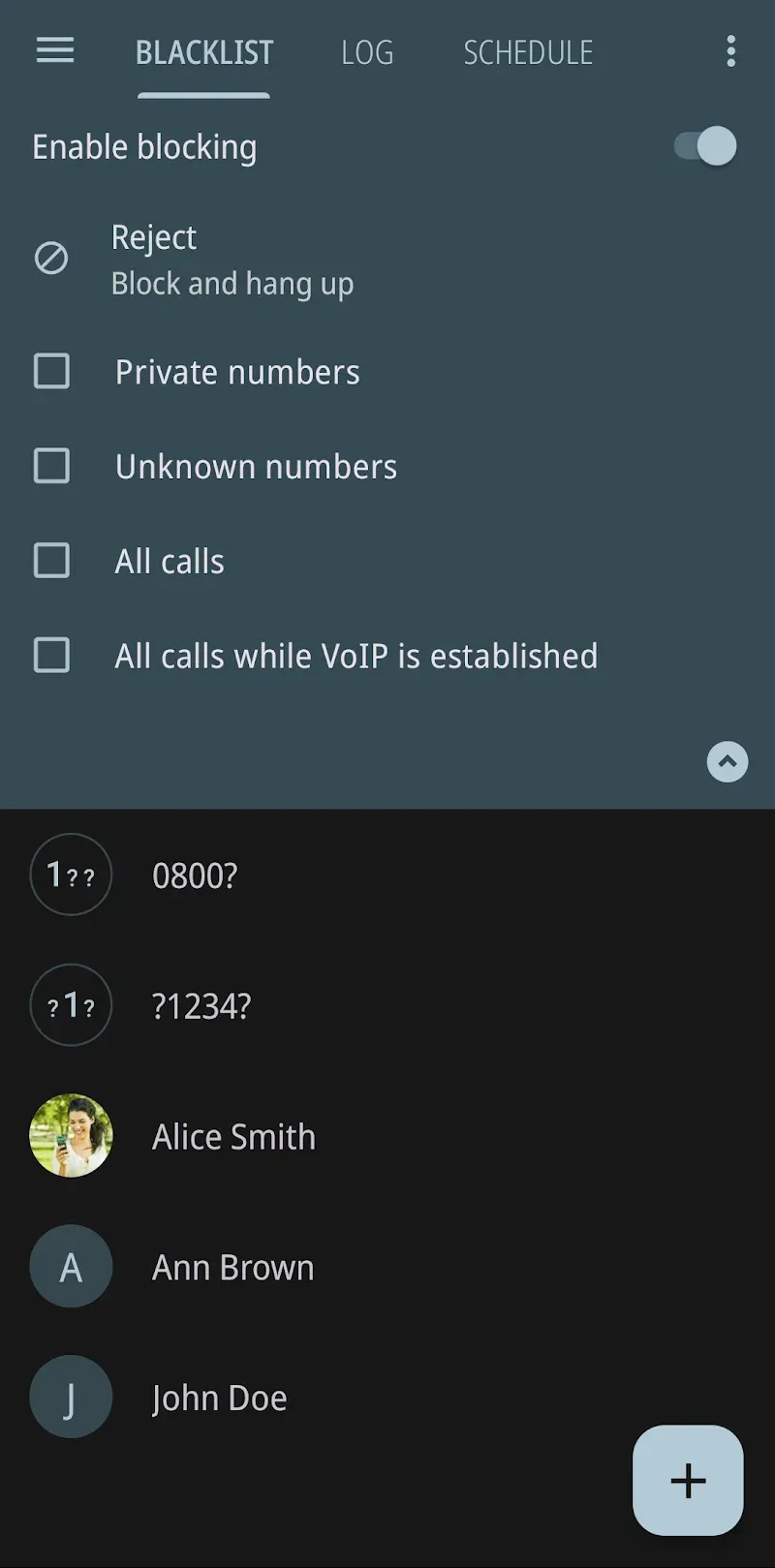
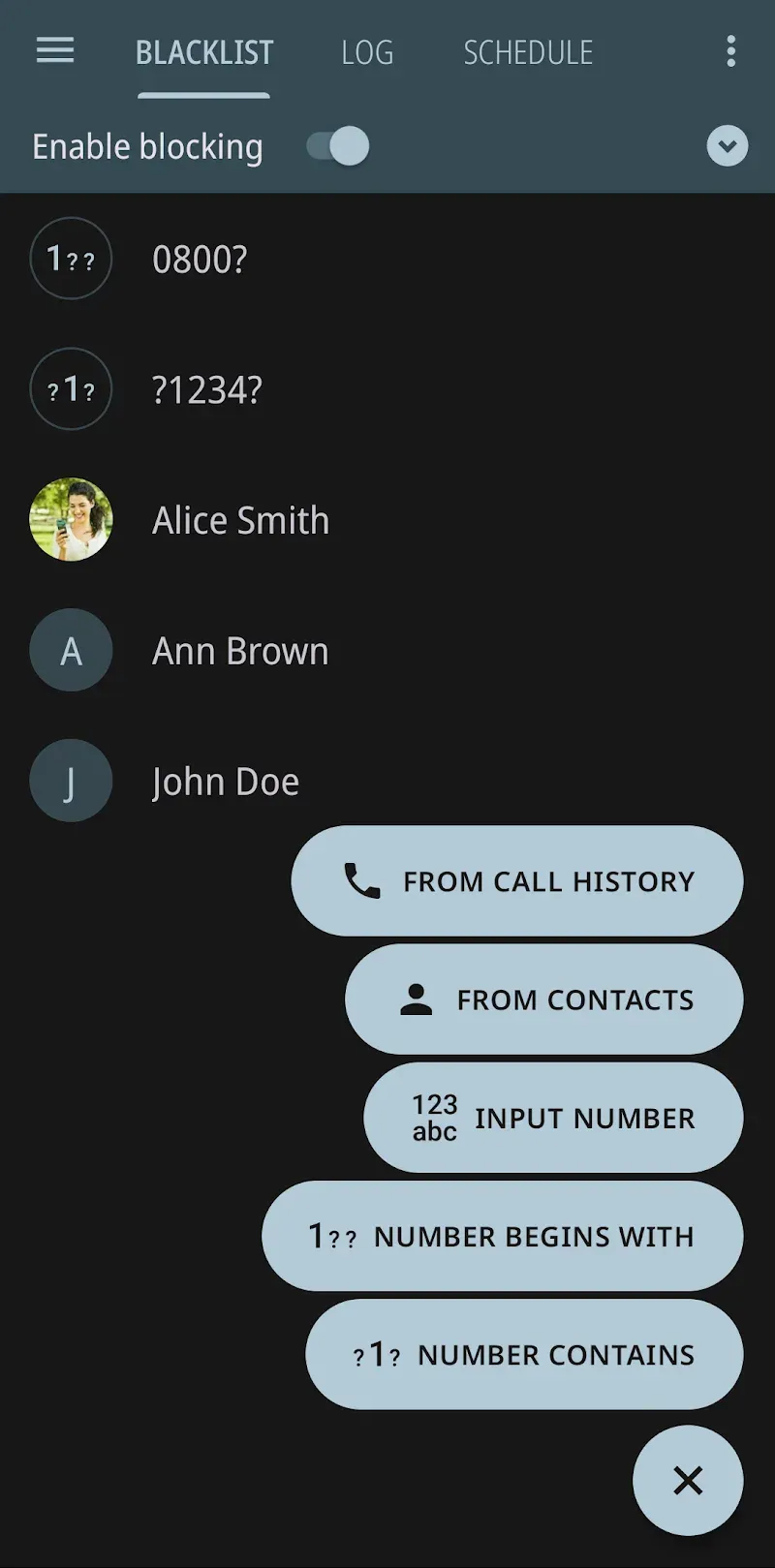
The app operates seamlessly in the background to intercept calls from numbers on your blacklist. You can easily add numbers manually or from your call log and contact list. Once a number is blocked, the call is silently declined, preventing any disruption to your day.
Flexible List Management Options
Beyond manual entries, the application supports creating custom blacklists based on specific criteria. You can block entire number prefixes, private or unknown numbers, and even contacts not saved in your address book. This granular control ensures you only receive calls you actually want to answer.
Intuitive and User-Friendly Design
Navigating the app is straightforward, with a clean layout that makes setting up your blocklist a simple process. All primary functions are accessible from the main screen, allowing you to manage your blocked numbers and review the app’s activity log with just a few taps.
Reliable SMS Filtering Capabilities
In addition to call management, the app extends its filtering power to text messages. You can create separate rules to block SMS messages from specific senders or containing certain keywords. This provides a comprehensive defense against all forms of mobile spam.
Silent Operation and Privacy
The app is designed to work unobtrusively without draining your battery. It runs efficiently, ensuring that blocked calls do not ring or cause notifications. Your blocklists and settings are stored locally on your device, giving you full control over your data.
Highlights:
Smart filter: Block numbers starting with selected characters.
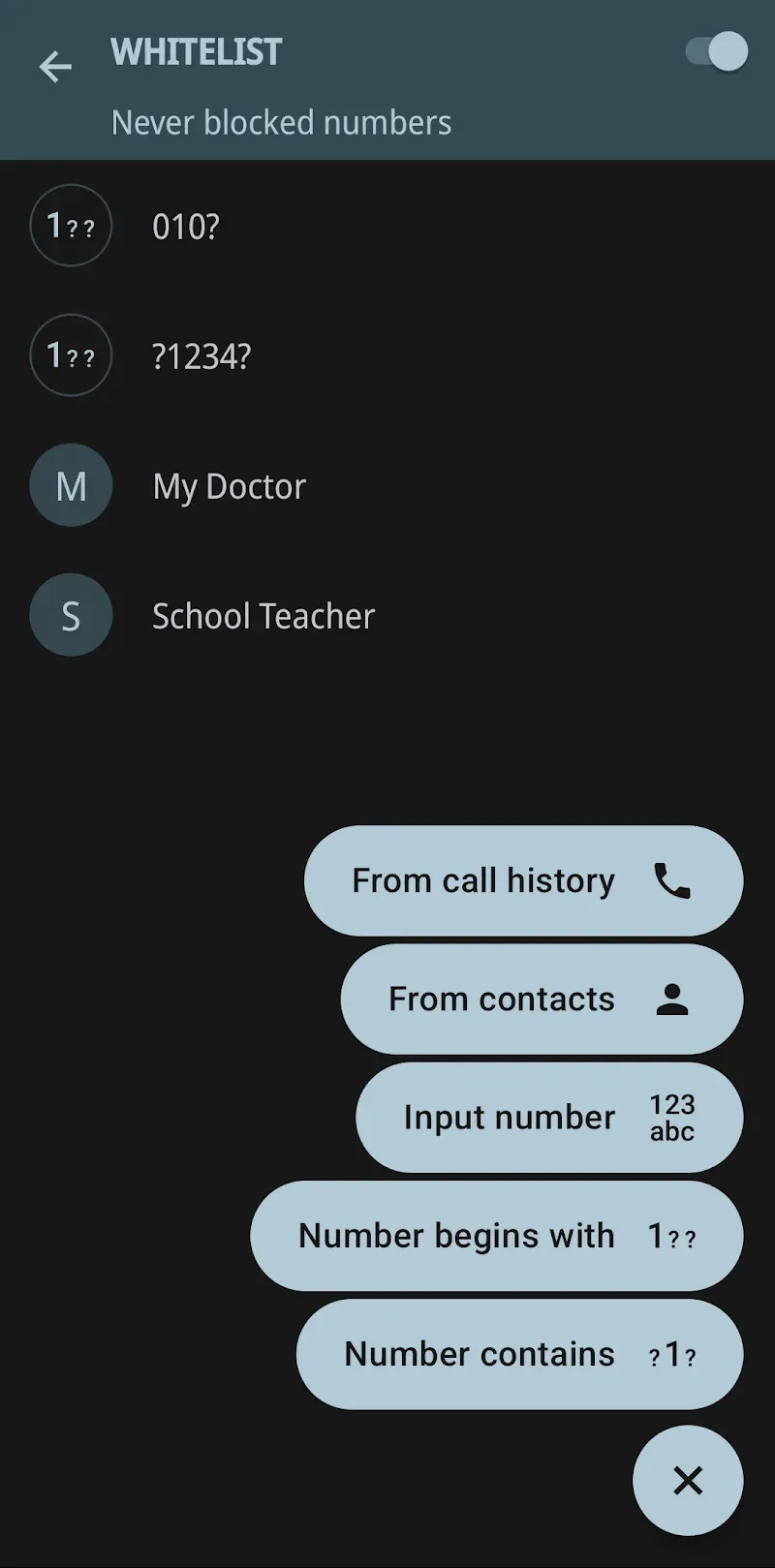
Whitelist: Protect important calls from being interrupted.
One-tap blocking: Instantly activate silent mode whenever you need focus.
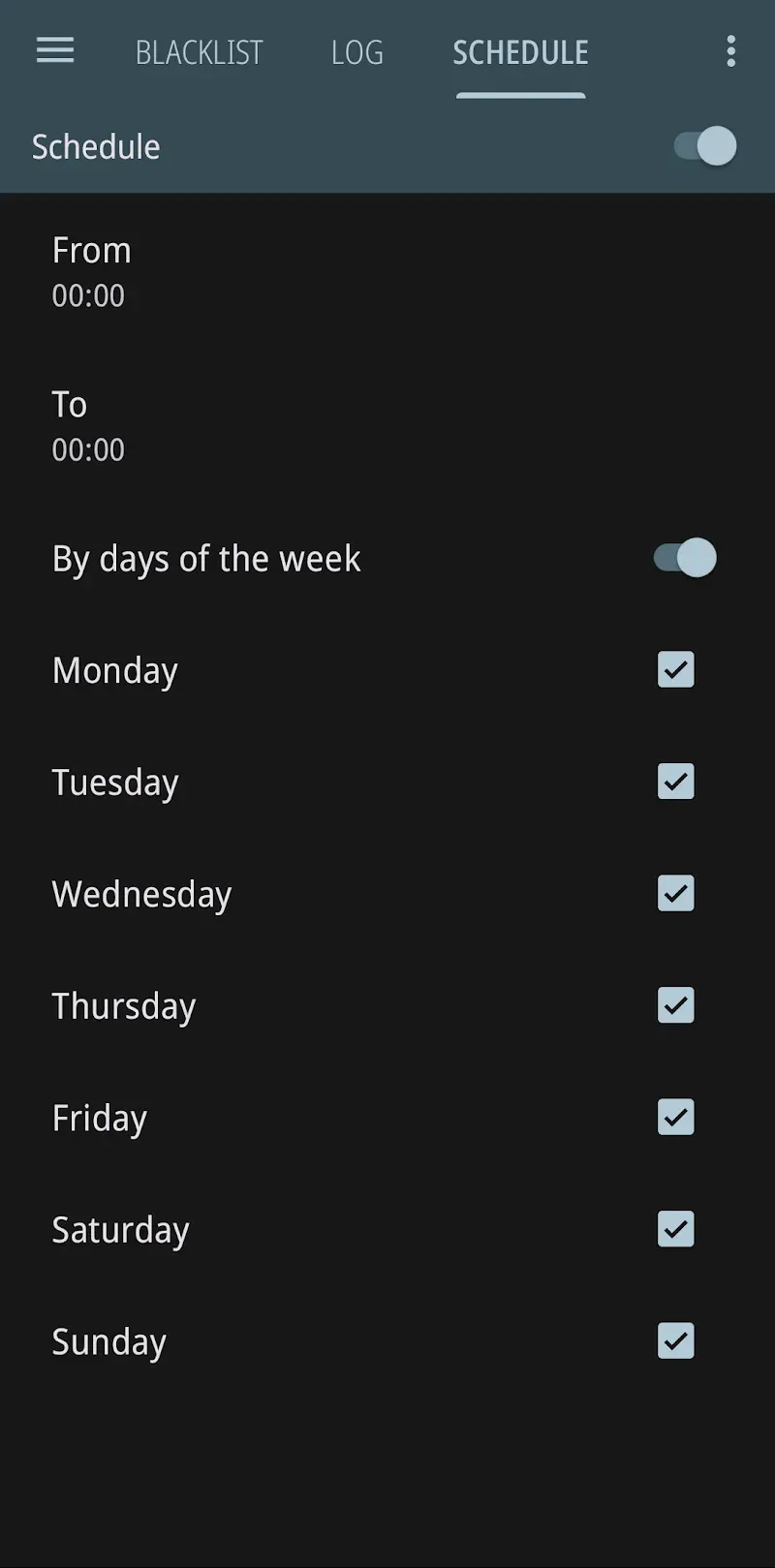
Flexible scheduling: Automatically block calls based on preferred dates and times.
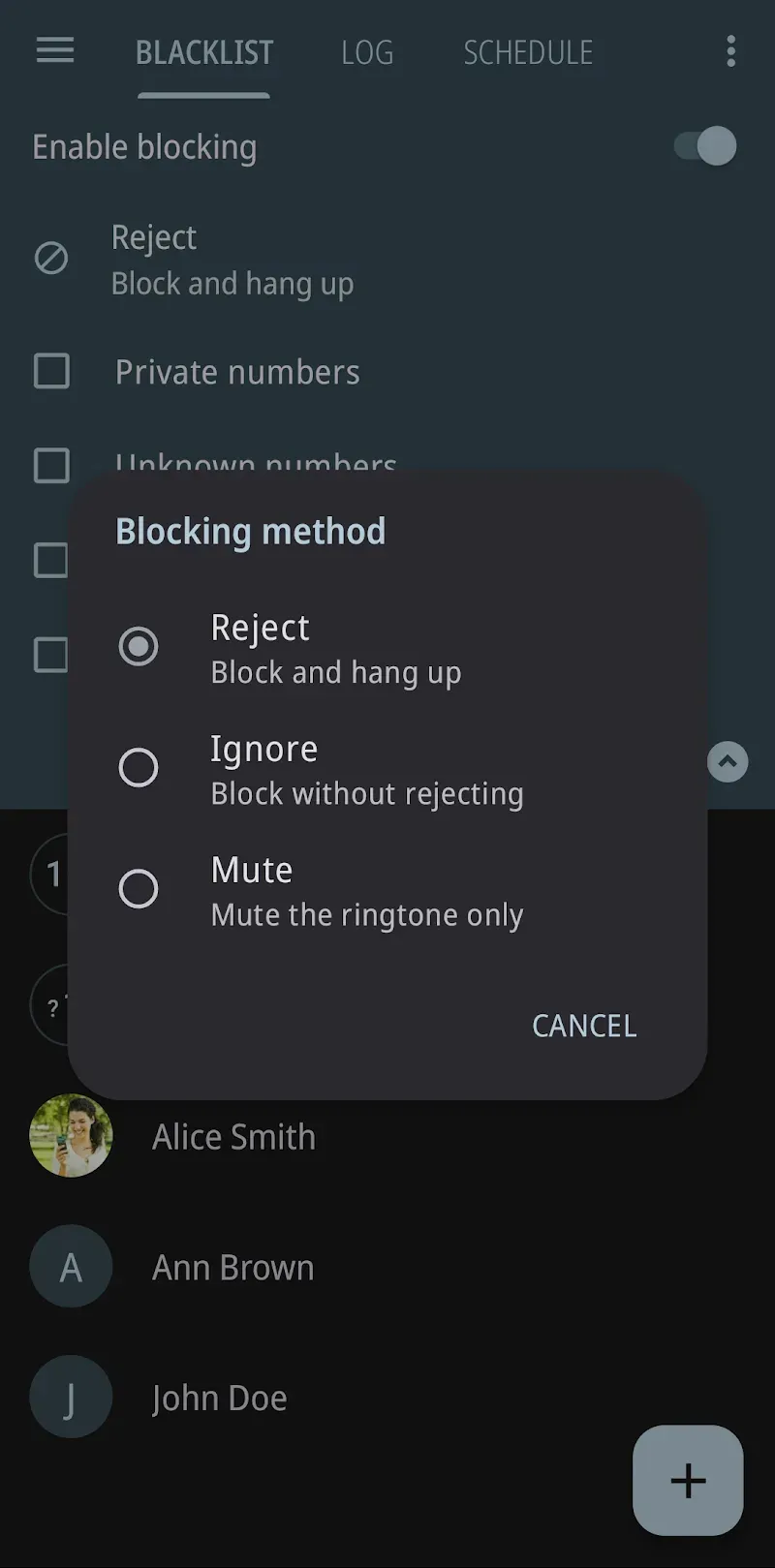
Multiple methods: Choose to mute or instantly hang up incoming calls.
Absolute security: Set a password to protect the application more safely.
FAQs:
How do I add a number to the blacklist?
Open the app, go to the blacklist settings, enter the number you wish to block, and add it to the list.
Can I block both text messages and calls?
Yes, you can block calls and text messages from numbers you do not wish to hear from.
Will I receive notifications for blocked calls and messages?
You can choose to receive notifications for blocked calls and messages in the app settings.
Is there a way to unblock a number?
Yes, you can easily remove a number from the block list by simply going to the block list section and deleting the number.
Advantages and disadvantages:
Pros
Block Calls on Android
Create Blacklists and Whitelists
Designed to Conserve Resources
Cons
Blocking Can Be Unreliable
Conclusion:
In short, Calls Blacklist offers a simple yet effective solution for blocking unwanted calls and text messages, ensuring you are not disturbed by telemarketers, robocalls, or other annoying callers. Its user-friendly interface and powerful features make it a must-have app for your Android device. Download it today and give it a try.
-
Latest Updates
-
Featured Apps